Glyph to Clipboard
by Rick Buczynski5.0
1 reviews
21
users
Published
January 25, 2022
Screenshots

Description
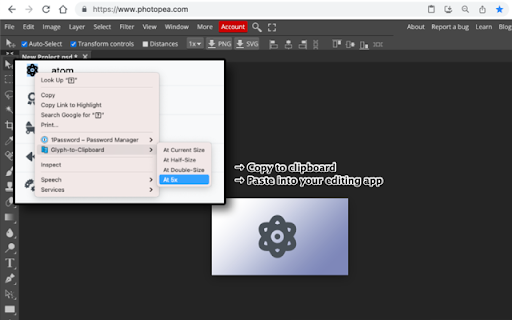
Convert any selected webpage text to a transparent image and copy it to your clipboard.
This Chrome extension adds a context menu item using a content script.
Use it to:
* Easily convert icon fonts to images
* When you want to preserve the exact appearance of selected text
--
Extension Icon / Logo: Clone icons created by itim2101 - Flaticon (https://www.flaticon.com/free-icons/clone)
This Chrome extension is provided under the MIT License.
Add to Chrome
Quick Info
- Version
- 0.2.0
- Size
- 15.35KiB
- Price
- Free
- Type
- Extension
Categories
Languages
English (United States)