Pixel Perfect
by Cederic Schmid62
users
Published
March 13, 2025
Screenshots



Description
🌟 Pixel Perfect - Advanced Image Editor Chrome Extension 🌟
📸 Transform your images on the fly with Pixel Perfect, the all-in-one image editing solution right in your browser! No need to switch between applications or visit online editors - everything you need is just a click away.
✨ Key Features:
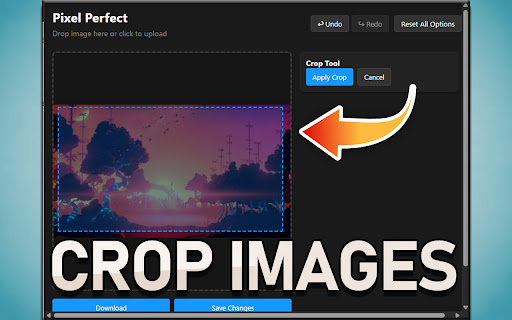
🔄 Rotate, flip, and crop images with precision
🎨 Apply professional-grade filters (Grayscale, Sepia, Invert, Blur, Vintage, Cool, Warm)
⚙️ Fine-tune brightness, contrast, saturation, and sharpness
💾 Export in multiple formats (PNG, JPEG, WebP) with quality control
🔍 Advanced image processing capabilities in a sleek, intuitive interface
🛠️ Perfect For:
📱 Social media content creators needing quick image adjustments
💼 Professionals preparing images for presentations or documents
🎓 Students working on projects and assignments
🖼️ Anyone who wants to enhance their photos without complex software
⚡ Pixel Perfect operates entirely in your browser - your images never leave your computer, ensuring complete privacy and security.
🔗 Seamless integration with WallpaperEngine.space for advanced tools like screen setup visualization, image optimization, corner rounding, and more.
💫 Whether you need to make quick adjustments or detailed edits, Pixel Perfect delivers professional results with its intuitive drag-and-drop interface and comprehensive toolset. Download now and elevate your image editing experience!