

Manga Auto Scroll
by astrowu615.0
1 reviews
130
users
Published
February 15, 2025
Screenshots
Description
Manga Auto Scroll – Effortless Scrolling for Manga & Web Comics! 📖🚀
Tired of manually scrolling through manga, webtoons, or long web pages? Manga Auto Scroll makes reading smoother and more enjoyable by automatically scrolling at your preferred speed.
✨ Features
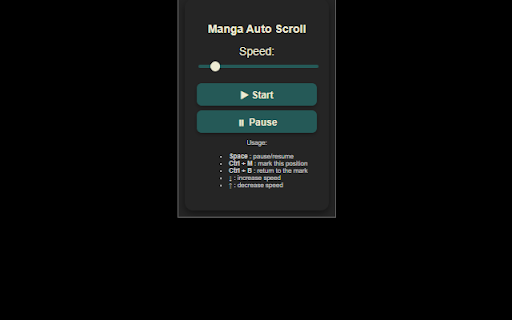
✅ Customizable Scroll Speed – Adjust scroll speed with a simple slider or use keyboard shortcuts.
✅ Pause & Resume with One Click – Press Spacebar to pause/resume scrolling anytime.
✅ Smart Position Marking – Press Ctrl + M to save your current position and Ctrl + B to return to it.
✅ Keyboard Speed Control – Use ↓ (Arrow Down) to speed up or ↑ (Arrow Up) to slow down.
✅ Manual Activation Only – The script never runs unless you explicitly click "Start," ensuring full user control.
✅ No Ads & No Tracking – We respect your privacy and do not collect or share any data.
🔧 How to Use
1️⃣ Install the extension.
2️⃣ Open a manga or webcomic page.
3️⃣ Click the "Start" button in the extension popup.
4️⃣ Use keyboard shortcuts to control scrolling.
🛡️ Privacy & Security
Manga Auto Scroll does NOT collect, store, or share any user data.
The script is injected only when you click "Start"—it never runs automatically.
No modifications are made to webpage content.
For more details, see our Privacy Policy.
📩 Get Started Now!
Install Manga Auto Scroll today and enjoy hands-free manga reading! 🎉📚
Add to Chrome
Quick Info
- Version
- 1.0
- Size
- 27.82KiB
- Price
- Free
- Type
- Extension
Categories
Languages
English (United States)





