Level Maze
by Game for Break4.6
5 reviews
10.0K
users
Published
November 3, 2025
Screenshots


Description
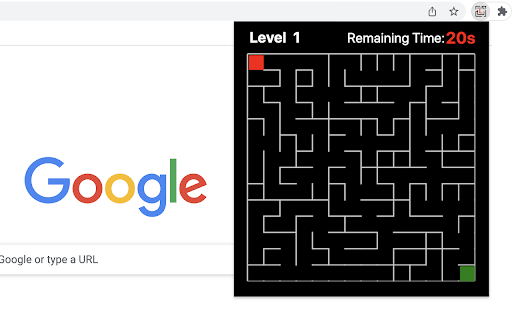
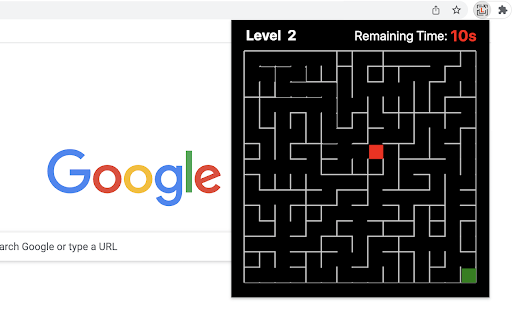
The play is very simple, just move the top-left red block to touch the green block at the bottom right corner in the given time (20s). The bar at the top of the maze shows how much time you have left.
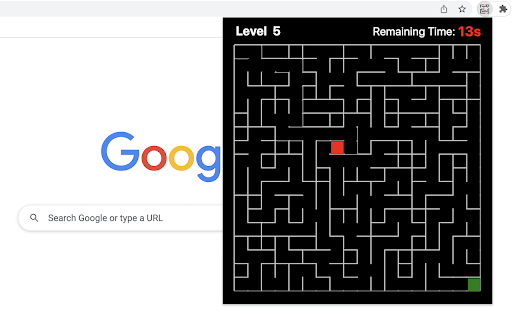
Only when you win current game, you can go to next level. If you want to go back to level 1, just click reset button when current game is over. Try to challenge yourself to see if you can win at the level of 10 or higher (really hard!!!).
The maze is randomly generated based on current difficulty level and the map will be different each time the game starts.
Have fun with the maze game! To discover the shortest path, click the link located below the 'Restart' button. To enjoy even more, check out some of our featured game products on the game over page.
CHANGELOG
==========
Version 0.2.3 - 0.2.9
- Update the link of the shortest path
- Enable dynamic update of featured games
Version 0.1.8 - 0.2.2
- Add the link of bonus features
- Add the link of the shortest path
- Display featured games after game over
Version 0.1.7
- Fix allowing moves after losing
- Enable Space/Enter keys for next level
Version 0.1.3 - 0.1.6
- Add the section of new games
- Update new game list with time
- Update level maze icon
Version 0.1.0 - 0.1.2
- Initial release of maze game
- Improve interface and features