Google Images Bulk Downloader
by emailsoft93
users
Published
March 10, 2025
Screenshots
Description
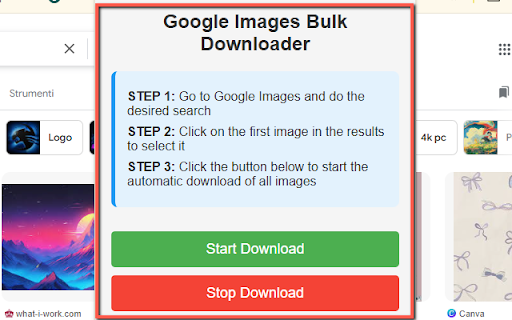
Google Images Bulk Downloader allows you to automatically download all images displayed on a Google Images search page. Instead of manually saving each image one by one, the extension automates the process, saving you valuable time and effort. ⏰💪
🛠️ How Does It Work?
Using Google Images Bulk Downloader is incredibly easy! Just follow these simple steps:
🔍 Search for Images: Go to Google Images and type in your desired search.
🖱️ Select the First Image: Click on the first image in the results to open it.
📥 Start Automatic Download: Open the extension and hit Start Download to begin downloading all the images automatically!
The extension will click through the images for you, saving each one without any further action required. You can also set a download limit to control how many images you want to save. 🛑
🚦 Key Features:
Automatic Download: No more repetitive clicking! The extension will handle it for you.
Customizable Limits: Set how many images to download automatically (up to 20 in the free version).
PRO Version Unlock: Enter the unlock code IMG8931221 to upgrade to the PRO version and remove all download limits! 🆓 ➡️ 💎
Simple User Interface: A clean and professional design with step-by-step instructions to guide you.
🔥 Who Is It For?
📸 Photographers: Quickly build a library of reference images.
💻 Designers & Marketers: Gather inspiration and resources for your projects.
🧑🏫 Teachers & Students: Easily download educational images for presentations and assignments.
🎨 Hobbyists: Build mood boards or save images for creative projects.