TapToCopee - Copy Text Button for ChatGPT
by UkraineSpeaks30
users
Published
May 13, 2023
Screenshots

Description
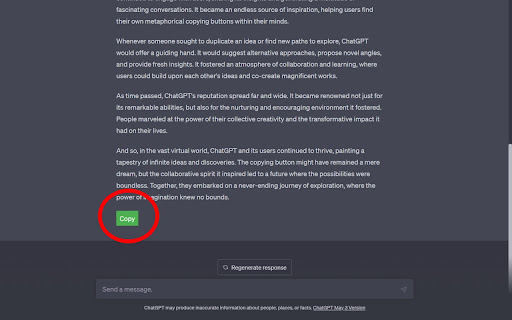
TapToCopee for chatGPT is designed to enhance the user experience on chatgpt.com by showing a 'Copy' button . Users can then easily copy the text content they need with a single click. It operates exclusively on the example.com domain
TapToCopee for chatGPT your friendly little helper to make copying text on chatgpt a breeze. Once installed, the extension adds a 'Copy' button to specific sections of text on 'chatgpt.com' webpages.
Here's how it makes your life easier:
👉 Click the 'Copy' button and voila! The text in that section is now on your clipboard, ready to be pasted wherever you need it.
💼 Once copied, the button hides itself for a bit, showing a 'Copied' message so you know it's done its job. It'll pop back up in a couple of seconds, ready for the next copy.
Give it a try and save yourself some time and effort!