Converter for PowerPoint
by Free Software Extensions3.8
401 reviews
20.0K
users
Published
October 17, 2023
Screenshots


Description
Bring your Presentations which were made with Microsoft Powerpoint with you wherever you go.
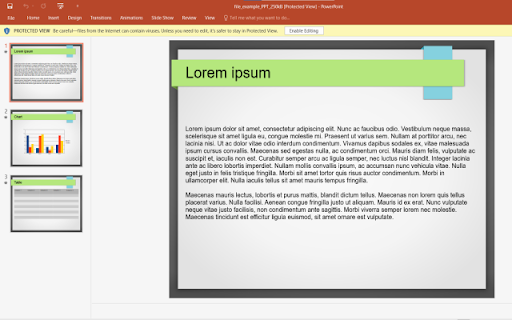
Want to convert Microsoft Powerpoint presentations so you can view the slides without having to use a desktop software? You can do so now after you install our software extension.
To begin using our software extension for powerpoint online, here are the steps you need to do.
Ensure you have the Microsoft Powerpoint slides on your computer.
Install our software extension "Converter for Powerpoint"
Once you install our software, please refresh all your existing Chrome Tabs/close Chrome browser and restart Chrome browser to let the software work for powerpoint.
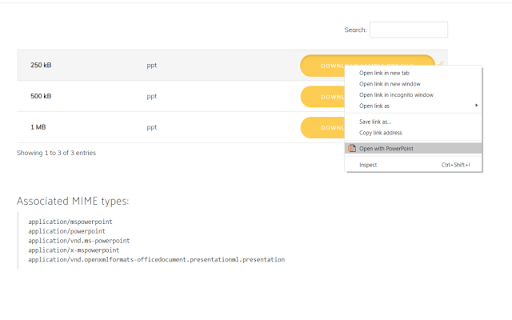
Choose the presentation link/pptx files you wish to convert with powerpoint viewer via the right click context menu button.
Its that simple, just use the right click context menu to choose our software when you want to convert a presentation which was made with Microsoft Powerpoint. You can convert your presentations to PNG/JPEG as our software extension will let you choose the presentation file to convert when you right click and use our software option on the context menu.
Disclaimer: Please note this extension is NOT made by Microsoft and is made by an independent development team. All copyrights belong to their respective owners.
Google doesn’t endorse or sponsor this Chrome extension. This extension is not owned by, it is not licensed by and is not a subsidiary of Microsoft Inc.
Add to Chrome
Quick Info
- Version
- 3.0.0
- Size
- 1.7MiB
- Price
- Free
- Type
- Extension
Categories
Languages
DeutschEnglishFilipinoIndonesiaMelayuNederlandsTiếng ViệtTürkçecatalàdanskeestiespañolfrançaishrvatskiitalianolatviešulietuviųmagyarnorskpolskiromânăslovenčinaslovenščinasuomisvenskačeštinaΕλληνικάбългарскирусскийсрпскиукраїнськаעבריתالعربيةहिन्दीไทย中文(中国)中文(台灣)日本語한국어