Simulator of visual impairments
by airadavometra3.4
5 reviews
703
users
Published
August 22, 2023
Screenshots
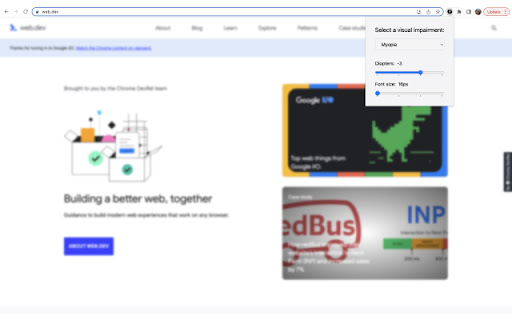


Description
Helpful tool to simulate some visual impairments. You can use it for testing or just to educate yourself and your colleagues.
With this extension you can apply some filters on your web page:
* Myopia filter - you can configure diopters to check if your page is accessible for people with blurred vision. Pay attention to important texts with small font sizes. Also you can configure root font size and see how your page scales.
* Color blindness filter - you can apply different filters to check if your page is still usable. If some important information is only provided by color, it could be impossible for color blind people to get it.
* Blindness filter - with these filters you need to use a screen reader to test your page properly. But it's helpful to apply the filter too - in this case you'll get more accurate experience.
If you want to use this extension for manual testing, repeat all your base test cases with filters on. If these scenarios are successful, then you're going in the right direction. As a rule of thumb, you must be able to get all the info needed for navigation and having a nice and clear user experience.
Our GitHub page: https://github.com/airadavometra/accessibility-simulator-plasmo
Feel free to report issues, suggest improvements or contribute.