

Eshi 100-Nin Ten
by EiraPublished
July 18, 2021
Screenshots
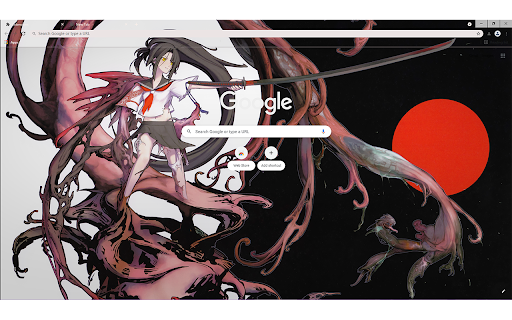
Description
关于最佳显示效果设置为:
桌布分辨率为 1920 x 1080、100%缩放比
任务栏设置为‘小任务栏’
按以上设置达到最佳显示效果
@Please set the taskbar to a small taskbar
Other extensions from this developer

Source of the theme image : https://www.pixiv.net/artworks/54678446 关于最佳显示效果设置为: 桌布分辨率为 1920 x 1080、100%缩放比并开启书签栏 按以上设置达到最佳显示效果 @Please set the taskbar to a small taskbar

Subject image original author : https://www.pixiv.net/artworks/90131430 关于最佳显示效果设置为: 桌布分辨率为 1920 x 1080、100%缩放比 按以上设置达到最佳显示效果 @Please set the taskbar to a small taskbar

Subject image original author : https://www.pixiv.net/artworks/64307988 关于最佳显示效果设置为: 桌布分辨率为 1920 x 1080、100%缩放比 任务栏设置为‘小任务栏’ 打开书签栏 按以上设置达到最佳显示效果 @Please set the taskbar to a small taskbar

Subject image original author : https://i.pximg.net/img-original/img/2020/10/10/16/26/08/84920925_p0.png 关于最佳显示效果设置为: 桌布分辨率为 1920 x 1080、100%缩放比 按以上设置达到最佳显示效果 @Please set the taskbar to a small taskbar

Source of the theme image : http://www.heroineanthem.com/wk_images/wp/wp_02_1920x1440.jpg 关于最佳显示效果设置为: 桌布分辨率为 1920 x 1080、100%缩放比 开启书签栏 按以上设置达到最佳显示效果 @Please set the taskbar to a small taskbar

Subject image original author : https://i.pximg.net/img-original/img/2018/09/29/23/22/27/70936140_p0.jpg に設定すると最適な表示になります。 壁紙の解像度は1920×1080、ズーム率100 ブックマークバーを開く 上記の設定を押して、最適な表示にする @Please set the taskbar to a small taskbar

Subject image original author Pixiv:shirakaba 关于最佳显示效果设置为: 桌布分辨率为 1920 x 1080、100%缩放比 任务栏设置为‘小任务栏’ 按以上设置达到最佳显示效果
Other extensions published on the same day

This allows you to synchronise watching Videos on Emby. All Instructions are on my Github :) Github: https://github.com/Quadrubo/emby-sync-watch
Subject image original author : https://i.pximg.net/img-original/img/2020/10/10/16/26/08/84920925_p0.png 关于最佳显示效果设置为: 桌布分辨率为 1920 x 1080、100%缩放比 按以上设置达到最佳显示效果 @Please set the taskbar to a small taskbar


Mac's Roblox Utils! I decided to make a new extension rather than expanding on NoBobux, to leave it as a standalone product. This may continue receiving new updates as features are requested or as I see fit. ⌚ What's new: - 0.0.2: Fixed a bug where plugin was sending double messages, one...

✨ What's new - - You can now save upto 20 scroll positions for any page and manage (get, update and delete) them individually. - Added an opt-in to show toasts when performing actions with a scrroll for better UX (Experimental). You must have been in a situation wherein you are reading a long...

This extension brings the mobile version of Wikipedia to any website to lookup terms without leaving the page. The extension has no visual button. To activate, select a text on the active tab and press the "W" icon that appears on top of the mouse pointer. To hide the panel, select anywhere...

JSON inspector is a modern take on a JSON explorer. This allows you to view the data in the same way you would view data in you dev-tools. There is a few new concepts: - Get out of the way unless needed, older plugin immediately formatted JSON. This plugin keeps the page how it is to allow...
