WordPlay
by Dusan Halicky2.5
2 reviews
19
users
Published
August 9, 2018
Screenshots
Description
What is it?
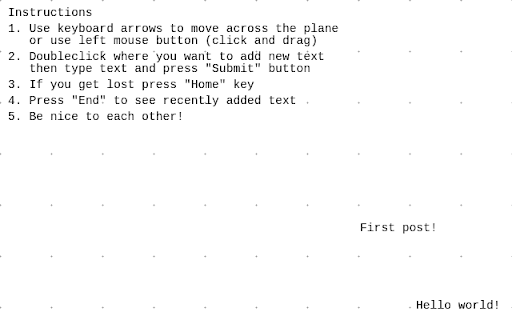
WordPlay is 2D text "game". You can write text anywhere on the infinite sheet of paper and see what others wrote. And that's basically it.
How to use it?
Use keyboard arrows to move across the plane or use left mouse button (click and drag). Double click where you want to add new text then type text and press "Submit" button. If you get lost press "Home" key. Press "End" to see recently added text.
Add to Chrome
Quick Info
- Version
- 1.0.17
- Size
- 106KiB
- Price
- Free
- Type
- Extension
Languages
English (United States)