
BenchmarkOne Gmail Integration
by hatchbuck.com5.0
5 reviews
141
users
Published
February 26, 2025
Screenshots

Description
BenchmarkONE’s Gmail integration streamlines your processes by bringing your CRM directly into your inbox. Add contacts, conversations, notes and tasks while you’re working in Gmail. With no need to switch back and forth from Gmail, workflow interruptions are eliminated.
GET MORE DONE IN GMAIL
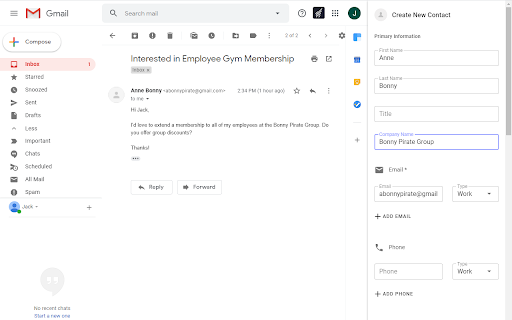
• Create new contacts with just a few clicks.
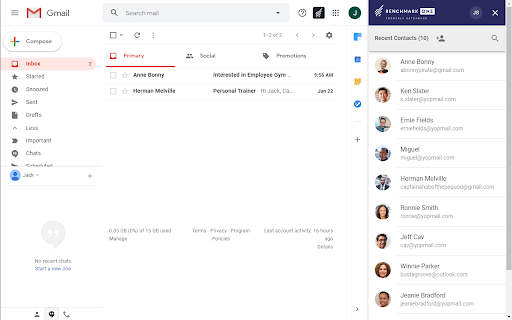
• Search for contacts and instantly pull up important information, like contact details, recent activity, notes and tasks.
• Segment contacts on the fly by adding or removing tags.
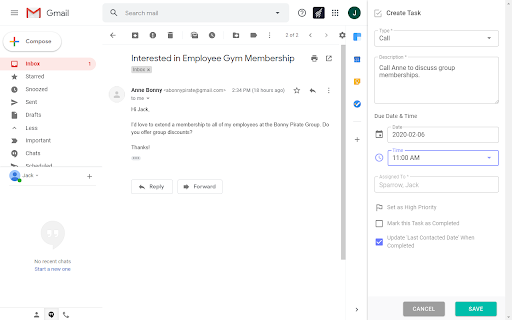
• Create and complete tasks for your contacts.
• Track email correspondence for the contacts you choose.
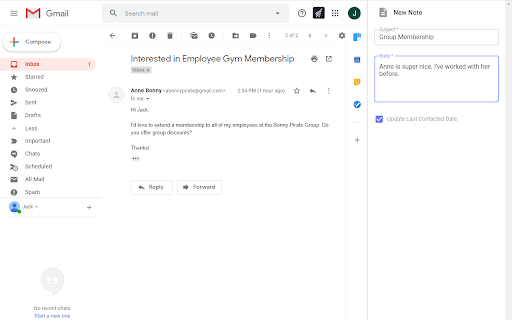
• Add notes to contact records and access a contact’s history.
HOW TO GET STARTED
• Download the BenchmarkONE Gmail Integration Chrome Extension
• Refresh your browser and open Gmail
• Click the BenchmarkONE icon to login to your account
• Start streamlining your sales process!
WHO IS IT FOR?
• Sales people who live in their Gmail inbox and want to track emails, create tasks and add notes in one place.
• Account managers who work from their Gmail inbox and want to quickly access contact information without switching from app to app.
• Any BenchmarkONE user who corresponds with contacts via Gmail and wants to keep up-to-date records in their CRM.