Table Tennis
by Game for Break4.6
7 reviews
10.0K
users
Published
July 15, 2025
Screenshots

Description
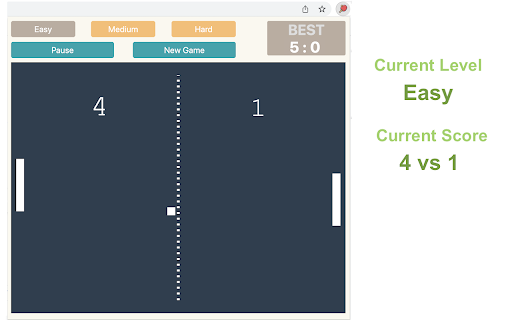
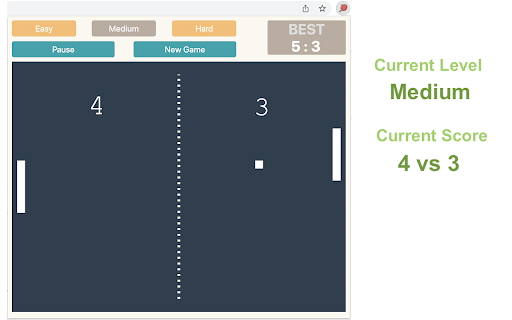
Control the game using the Up and Down arrow keys on your keyboard. No internet connection is required!
How to Play & Features:
1) After installing, simply click the game icon in the Chrome extension toolbar to launch it in a popup window instantly.
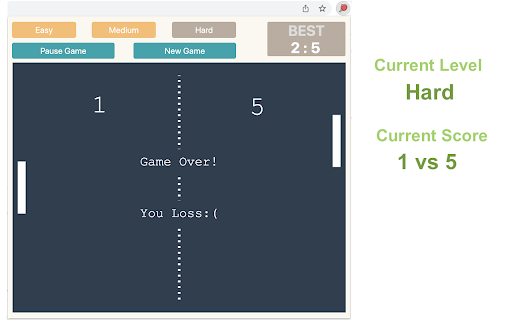
2) The game ends when either you or the computer reaches 5 points, and your best score is recorded in the top right corner.
3) Pause or start a new game at any time during your session.
4) When you leave the game and return, it will remember your progress and let you continue right where you left off.
Enjoy a fast-paced table tennis arcade game with simple yet exciting gameplay! Looking for a challenge? Click "Play More Levels" below the restart button to try different difficulty settings. For more fun, check out our featured games after your match ends.
CHANGELOG
==========
Version 0.1.7 - 0.2.4
- Display featured products after game over
- Add the link of more game levels
- Enable dynamic update of featured games
- Remove the section on new games
Version 0.1.3 - 0.1.6
- Add the section on new games
- Update the game list with time
- Rename the game
Version 0.1.2
- Add google analytics
Version 0.1.1
- Optimize ball speed
- Update user interface
Version 0.1.0
- Release basic game features