Blixem | ChatGPT conversational sidebar
by Blixem.io1.0K
users
Published
April 10, 2023
Screenshots



Description
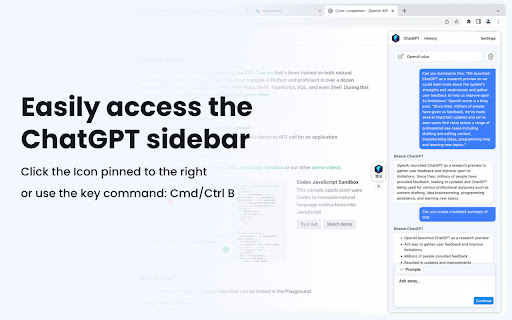
Blixem provides access to ChatGPT's full range of conversational capabilities on every tab you open. All chat history is available, so you can easily pick up where you left off in previous conversations. Enjoy a more seamless and convenient ChatGPT experience with the Blixem sidebar.
Features
✔️Access ChatGPT's full conversational features
✔️Easily continue past conversations without starting over
✔️Maintain control over your chat history by updating or deleting conversations
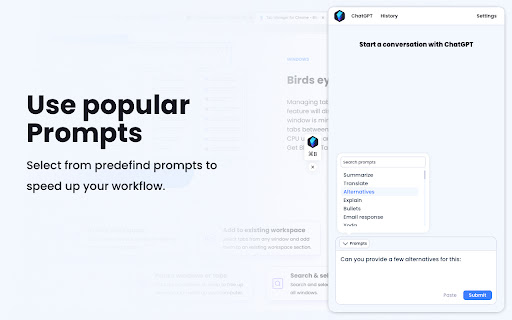
✔️Utilize predefined prompts to simplify your interactions with ChatGPT
✔️Quickly add content to prompts by highlighting text
Get started with Blixem:
✔️ Open the Sidebar with a click on the Blixem icon pinned to the rig or Cmd/Ctrl + B
✔️ Access the popup with a quick click on the extension icon
Data Privacy
Blixem respects your privacy and does not gather any information about your interactions with ChatGPT, including the questions you ask, answers received, and the entire chat history. Your data is safe with Blixem.
Add to Chrome
Quick Info
- Version
- 1.0.9
- Size
- 705KiB
- Price
- Free
- Type
- Extension
Categories
Languages
English (United States)