Published
December 9, 2021
Screenshots


Description
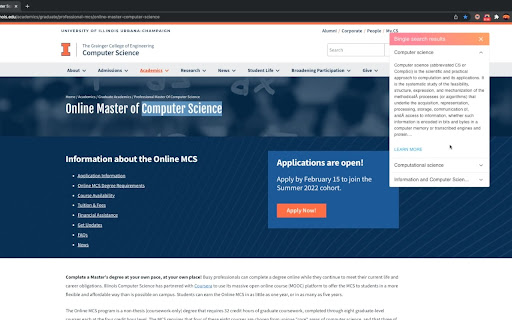
Bingle allows users to quickly access relevant information about some word(s) on a webpage without having to open another browser tab to search for the query. This is done by highlighting the candidate word(s) to search for, right-clicking on the highlighted word(s), and then selecting 'Search on Bingle'.
The highlighted words act as a query that will be fed into a BM25 retrieval algorithm. After the retrieval completes, Bingle will select from these results the 3 most relevant Wikipedia articles and their corresponding summaries and display them to the user in a mini-card located at the top right corner of the page.
This project was developed jointly by Gene Horecka, Mony Chhen, Shubha Sundar, and Sushma Ponna for the University of Illinois at Urbana-Champaign's CS410 Course: Text Information Systems (Fall 2021).
Add to Chrome
Quick Info
- Version
- 1.0.0
- Size
- 321KiB
- Price
- Free
- Type
- Extension
Categories
Languages
English (United States)