SentenceFix - Sentence Rephraser, Grammar Corrector and Translator
by zemann.p5.0
3 reviews
172
users
Published
November 15, 2025
Screenshots


Description
SentenceFix - Sentence Rephraser and Grammar Corrector - Instantly Improve, Fix, or Translate Any Text
✨ What it does
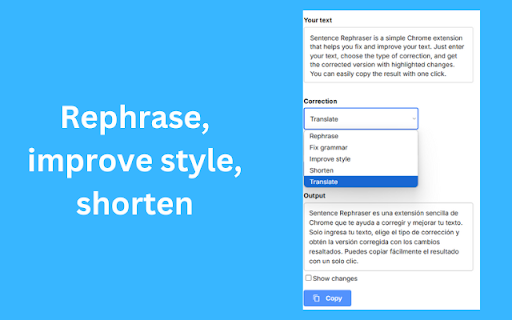
- 📝 Rephrase sentences and paragraphs for clarity
- ✅ Fix grammar, spelling, and punctuation
- 🎯 Improve style and tone without changing meaning
- ✂️ Shorten text while keeping key points
- 🌍 Translate into 50+ languages
🔍 See exactly what changed
- Color-coded highlights show additions and removals
- Compare original vs improved text side by side
- One-click copy of the final result
⚡ Works wherever you write
- 👉 Right-click context menu: select text, choose Rephrase this text
- ⌨️ Keyboard shortcut: highlight text and press Alt+S
- 📌 Toolbar button: open the extension and paste your text
🛡️ Privacy-first
- We only process the text you choose to improve or translate
- No background tracking, no ads
✅ Perfect for
- Emails, chats, social posts
- Reports, essays, and blog posts
- Product pages and support replies
- Multilingual teams and international communication
💡 Tips
- Try multiple actions: Rephrase, then Shorten, then Grammar
- Switch tone: formal, neutral, friendly
- Use it as a final polish before sending or publishing
❓ FAQ
Q: Is meaning preserved?
A: Yes. The rephraser keeps your original meaning while improving clarity and flow.
Q: Can I translate both short and long texts?
A: Yes. Translate sentences, paragraphs, or full messages into 50+ languages.
Q: Does it work inside web apps like Gmail?
A: Yes. Select any text in the browser, then use the right-click menu or shortcut.
Q: Is there a free plan?
A: Yes. Install to see current limits and options.
📈 Why users like it
- Fast results in one click
- Clear visual diff of changes
- Fewer mistakes, more natural phrasing
- Saves time every day