Friendly PDF
by suziwen15.0
4 reviews
826
users
Published
January 30, 2024
Screenshots
Description
Save any web page (full page or partial selection ) as a beautiful PDF with cover, outline and table of contents.
features
1. Save as a outline's PDF
2. Easily remove elements (eg: annoying ads) what you don't want
3. Print preview
4. Change font and font-size
5. Readability
steps
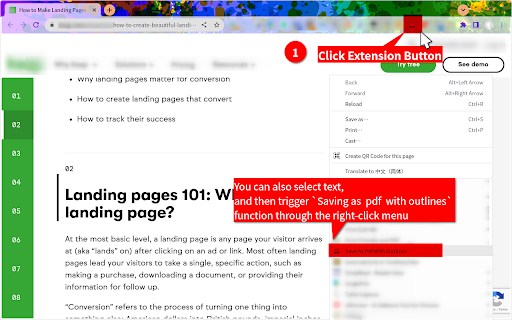
* Right-click the mouse button, trigger the context menu, and click `Save as PDF with outlines` item
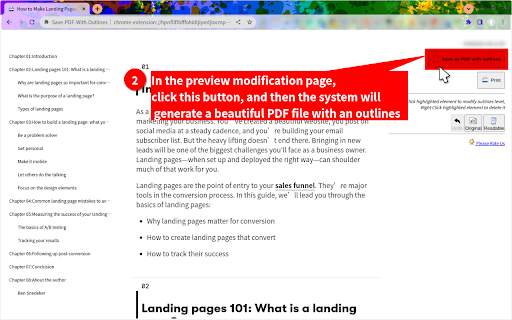
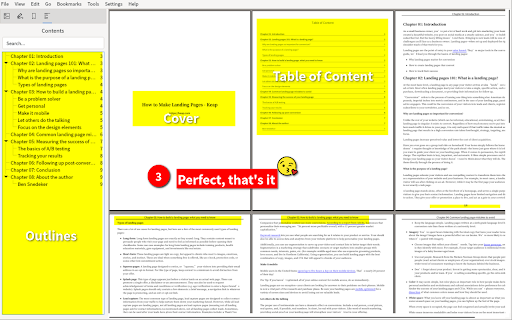
* On the preview page, click the top-right button to generate a beautiful PDF with cover, outline and table of contents
* Done, that's it.
Add to Chrome
Quick Info
- Version
- 0.0.12
- Size
- 107KiB
- Price
- Free
- Type
- Extension
Categories
Languages
English中文(中国)