
Extended Wikiloc
by jesus.inica5.0
1 reviews
230
users
Published
October 6, 2022
Screenshots


Description
This extension extends the functionality of Wikilocs by adding handy features to the UI.
The extension is automatically enabled when Wikiloc is loaded.
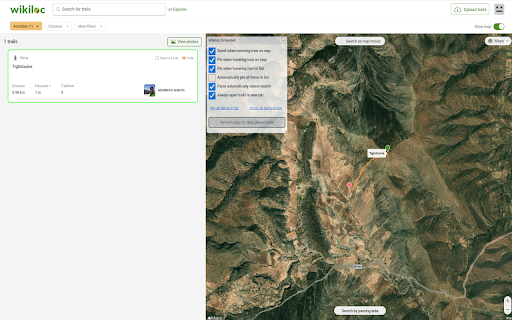
It adds a dialog (that can be dragged to a convenient position) to the Wikiloc UI that allows the user to manage the options.
At the moment it adds the following features:
- **Scroll when hovering icon on map** - Automatically scrolls the list of results to the hovered trail, if it is within the current page.
- **Pin when hovering icon on map** - Automatically pins the hovered trail on the map.
- **Pin when hovering item in list** - Automatically pins the hovered trail on the map.
- **Automatically pin all items in list** - Automatically pins all the trails in the list on the map.
- **Force automatically repeat search** - Forces the search to be repeated automatically when the user changes the search parameters.
- **Always open trails in new tab** - Forces the trails to be opened in a new tab.
- **Refresh page to clear pinned trails** - To remove the trails you just need to refresh the page.
- **Pin all items in list** - This option will pin all the trails in the list on the map.
- **Unpin all items in list** - This option will unpin all the trails in the list on the map.