
Enviar mensagem na agenda/busca do e-SUS
by evandrodacs5.0
1 reviews
144
users
Published
July 1, 2023
Screenshots
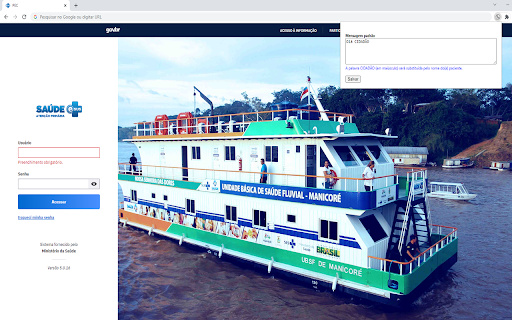
Description
A extensão 'Enviar mensagem na agenda/busca do e-SUS' é uma solução prática e eficiente para profissionais de saúde que utilizam o e-SUS APS. Com essa ferramenta, é possível transformar os telefones dos pacientes na tela de agenda e na tela de busca em links clicáveis para o WhatsApp Web, desde que o mesmo esteja conectado. Essa funcionalidade economiza tempo e torna a comunicação com os pacientes mais ágil, permitindo que você se concentre em atender suas necessidades com mais rapidez e eficiência.
Além disso, a extensão permite personalizar uma mensagem padrão que é preenchida automaticamente com o nome do(a) paciente, permitindo uma comunicação ainda mais personalizada e direta. Isso ajuda a fortalecer o relacionamento entre o profissional de saúde e seus pacientes, tornando o atendimento mais humanizado e conectado.
A extensão 'Enviar mensagem na agenda/busca do e-SUS' é fácil de usar e não requer nenhuma configuração complexa. Basta instalar e começar a usar imediatamente. Experimente agora e descubra como essa ferramenta pode transformar a forma como você se comunica com seus pacientes.
Add to Chrome
Quick Info
- Version
- 2.1.1
- Size
- 24.92KiB
- Price
- Free
- Type
- Extension
Categories
Languages
português (Brasil)