

Expanded Reading List
by shza.dev5.0
4 reviews
383
users
Published
May 25, 2022
Screenshots

Description
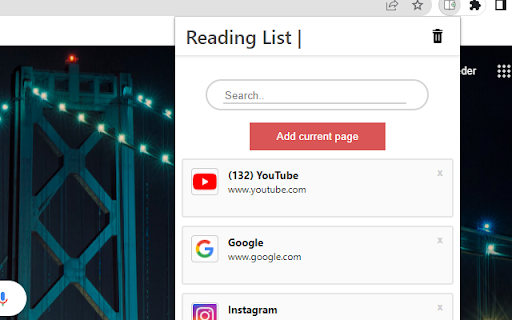
This exstention saves links to pages for a later use.
This readinglist and bookmark exstention is simple and easy to use. You can easily find the link you are looking for by using the search functionality, which helps keep your tab count down.
By turning on chrome synchronization your saved links from one device will be automaticly be shown to you on all your devices.
How to use the exstention:
1. Go to the page youn want to save for later
2. Open the exstention by clicking on the icon in the top right of your browser.
3. Click the add current page button.
4. When you want to open a page, click the reading item you want to read.
(If you cannot find it, you can use the search bar)
5. When you are done with a page, just click the - X - in the right cornor of the reading item


