
Go To Playing Tab
by mp4.8
69 reviews
10.0K
users
Published
August 24, 2024
Screenshots
Description
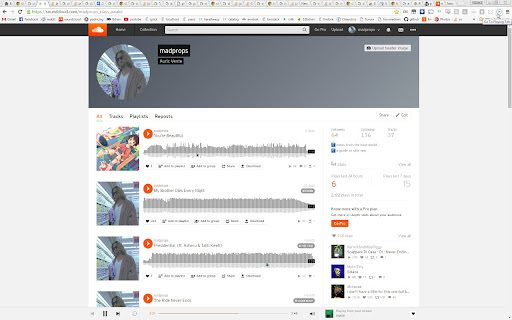
Tired of having a hard time looking for the tab that has the playing icon to go to the thing you were watching or listening to?
Sometimes you have lots of tabs open and finding the tab that's playing can be a hassle.
This Chrome extension solves that problem by allowing you to go to the tab that is playing audio by simply clicking a button or with a keyboard shortcut.
Simply click on the button in the toolbar and you will go instantly to the tab that is playing audio.
It works with different windows too. You can be in Window A and if something is playing in Window B, Window B will be focused in the playing tab.
By default no keyboard shortcuts are specified, to set them go to Settings -> Extensions -> Keyboard Shortcuts (it's at the bottom).
It can also close playing tabs with a keyboard shortcut or by right clicking on the icon. When you do the command once it will close all tabs emitting sound except the current tab, do the command again and it will close the current tab (if it's emitting sound). This is good if you're watching something and want to close all other tabs that are emitting sound except the thing you're watching.
I recommend using the keyboard shortcuts, I find them very useful, especially when they're set to global.
Update V2:
- Support for changing between 2 different playing tabs.
- Added keyboard shortcut to close all playing tabs.
Update V3:
- Fixed a thing pertaining global hotkeys and window focus.
Update V4:
- Made it so it wont close a playing tab that is focused unless it's the only one left.
Update V5:
- Added a context menu to close playing tabs. Right click the icon to see it.
- Fixed a problem with not all tabs closing.
- Now it cycles through all tabs that are emitting sound not just two.
Update V6:
- Now with true multi window support.
Update V6.3
- There are no longer default keyboard shortcuts to avoid interrupting workflows. You can set them manually in the settings.
Update V7.0
- It now uses manifest v3.
Keywords:
Go to tab emitting sound
Change to tab with sound
Show tab that is sounding
Making noise
Close tabs with sound
Close tabs emitting sound
Add to Chrome
Quick Info
- Version
- 7.0
- Size
- 22.96KiB
- Price
- Free
- Type
- Extension
Categories
Languages
English (United States)