SoundMagic MP3 and WAV editor for audio files
by RedcoolMedia3.5
35 reviews
4.0K
users
Published
November 15, 2023
Screenshots

Description
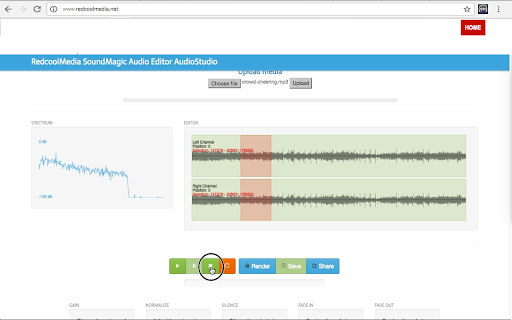
Create, edit, copy, cut, paste and crop audio files with formats MP3 and WAV. SoundMagic C is a fast audio editor that allows you to manipulate your audio files. Its main features are:
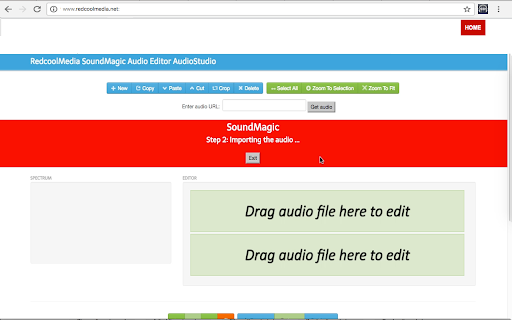
- New button, that create a New project in which to modify any MP3 or WAV audio file.
- Copy, Cut, Delete.Crop and Paste sections of the audio file.
- Buttons to select the whole audio, zoom over an audio section or zoom to fit.
- Import an audio file MP3 or WAV from a URL.
- Import an audio file MP3 or WAV from the local disk.
- Display the spectrum of the audio files while being listened.
- Buttons Play/Pause over the audio files that are being imported.
- Render and save locally the audio files created.
- Button Share to send a link that contains the audio file.
- Change the volume of the selected audio sequence with a gain multiplicator.
- Adjust the volume to the maximum of the selected audio sequence.
- Silence the selected audio sequence.
- Create a linear fade int of the selected audio sequence.
- Create a linear fade out of the selected audio sequence.
Add to Chrome
Quick Info
- Version
- 1.9.3
- Size
- 499KiB
- Price
- Free
- Type
- Extension
Categories
Languages
DeutschEnglishNederlandsTürkçeespañolespañol (Latinoamérica)françaisitalianopolskiportuguês (Brasil)português (Portugal)русскийукраїнськаالعربيةहिन्दी中文(中国)日本語한국어