Murdoch University LibrarySearch Plugin
by DigitalLibraryServices5.0
1 reviews
87
users
Published
December 20, 2024
Screenshots
Description
Want a new and easy way to research? Want to find articles and books without leaving your current page?
Presenting the new Murdoch University LibrarySearch plugin!
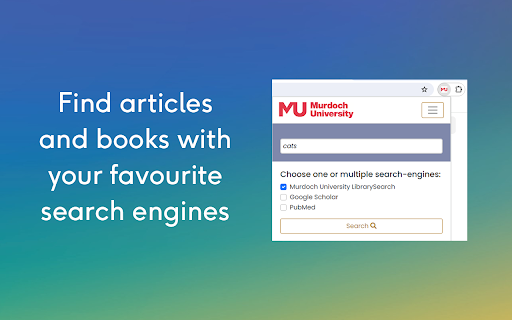
The Murdoch Library Search plugin allows you to search LibrarySearch, Google Scholar, or PubMed without needing to navigate to them first.
To find resources using your favourite search engines:
Simply pin the extension to your toolbar and click the MU logo to start your search. Type in your keywords and select your preferred search engines. Your search results will open in a new tab, so you won’t lose your current page.
To search for highlighted text using the context menu:
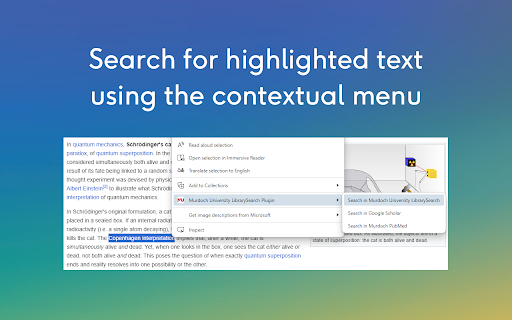
Found a new keyword while searching the web? You can also search highlighted text using the context menu!
Highlight your desired text using your mouse or trackpad and right-click to open the context menu. Click the Murdoch University LibrarySearch and select your preferred search engine. Your results will open in a new tab.
It’s that easy!