
WebNote
by Hogan-TR4.0
1 reviews
511
users
Published
February 27, 2023
Screenshots


Description
A Chrome extension that allows you to note freely on web pages and save it persistently
> Mainly used to solve the problem of "notes" when viewing documents and browsing web pages
GitHub Repository: https://github.com/Hogan-TR/WebNote
How to use?
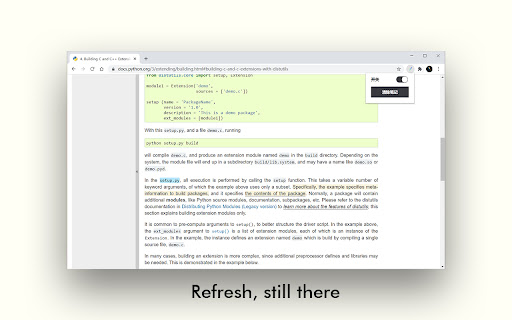
1. Click the extension icon in the status bar to turn on the switch (enable extension on the current page)
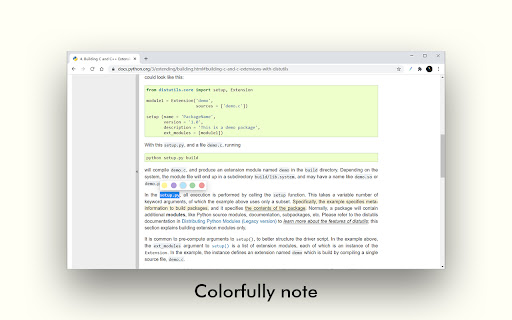
2. Select the target text with the mouse to start text annotation
3. In the pop-up toolbar, press and hold the first button to call up the secondary highlight color bar, providing a variety of highlight color options
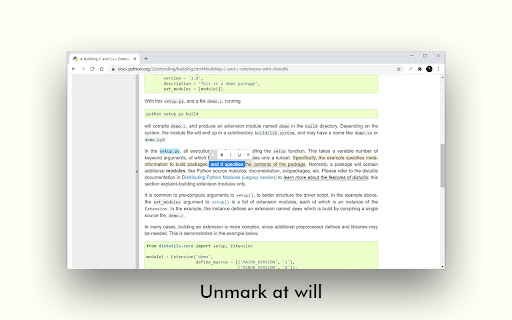
4. For the existing mark, select arbitrarily to partially cancel
5. If you want to clear all notes on the current page, click the extension icon and click "Clear Notes" in the pop-up box
FeedBack
If you encounter any problems or bugs during use, I am very happy to receive your feedback, but I hope you can clearly describe the problem you encountered in the email (for example: browsed websites, screenshots, etc.), the following is My email, looking forward to your feedback.
[email protected]
Add to Chrome
Quick Info
- Version
- 0.0.4
- Size
- 31.56KiB
- Price
- Free
- Type
- Extension
Categories
Languages
Englishespañol中文(中国)日本語한국어