Super Save Image As
by ksoft294
users
Published
January 22, 2024
Screenshots


Description
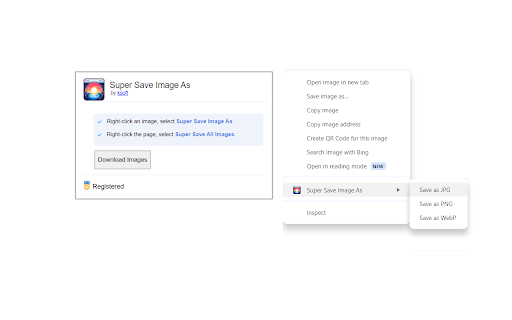
Save images as PNG, JPG, or WEBP by right-clicking on an image. Adds a new context menu to the web browser to save images in a variety of formats. Also allows one-click to save all images on the page.
* Save images as PNG, JPG, or WEBP.
* Adds a new option in the right-click menu to save images in a variety of formats.
* Click a button to save all images on the page.
The free version allows saving unlimited images (with a limit of 30 images per single batch download). The registered version unlocks unlimited images in a single download.
Super Save Image As is the quickest and easiest way to save images in a web page.
Add to Chrome
Quick Info
- Version
- 1.0
- Size
- 94.82KiB
- Price
- Free
- Type
- Extension
Categories
Languages
English (United States)