
YouTube Bulk Unsubscribe
by limbuscode3.6
37 reviews
1.0K
users
Published
March 27, 2025
Screenshots




Description
Effortless Unsubscribing with One Click
Advantages:
* Instant Unsubscribing: Remove unwanted subscriptions quickly and easily.
* User-Friendly Interface: Simple and intuitive controls for a seamless experience.
* Time-Saving: Streamline your YouTube channel management with minimal effort.
* Purchase the complete version (premium) to unsubscribe with no interruptions.
How It Works:
1. Download the Extension: Install with a single click.
2. Read All Instructions: Follow the provided guidelines for best results.
3. Click the Extension Icon: Access the extension from your browser toolbar.
4. Go to YouTube Channel: Click on the button (Go to YouTube channel) to navigate to the
YouTube channel page.
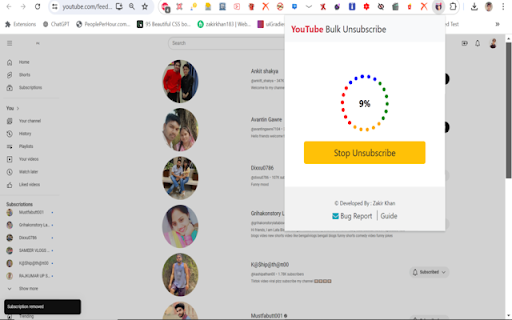
5. Start Unsubscribing: Click on the "Start Unsubscribe" button to begin removing unwanted
subscriptions.
6. Stop Unsubscribe: Pause or stop the unsubscribing process at any time if needed.
Important Note: The use of the YouTube™ name or trademark is for identification, reference, or descriptive purposes only and does not imply any association with YouTube™ or its product brand.
Important Note 2: There is a remote risk that the extension's functionality could be irreversibly compromised if drastic changes to YouTube's policies were to occur. If they were to occur, this would render it completely inoperable on a permanent basis.
Add to Chrome
Quick Info
- Version
- 1.8.2.1
- Size
- 2.32MiB
- Price
- Free
- Type
- Extension
Categories
Languages
English (United States)