Swiss Clock CE-7
by Style-7Screenshots
Description
Quick Info
- Version
- 1.0
- Size
- 13.08KiB
- Price
- Free
- Type
- Extension
Other extensions from this developer
There are 28 radio stations for any taste from classic music to hard rock. But you can enter address of any radio station. For change radio station select it in combo box and press button "Apply". For enter original radio station type the name and URL address and press "Apply" button. Note: some...
Original LED clock for display the current time. You can change primary and secondary colors, set AM/PM mode.
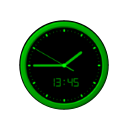
"Analog Clock CE-7" is extension that displays the current time like analog and digital clock. Setting: AM/PM mode on/off.
Extension for display the current time, date and day of the week like seven-segment clock faces. You can set an alarm, change color of font and set am/pm mode. For set an alarm open dialog box "Options" and enter hours and minutes. When the alarm is running click on any point of the main window...
Simple timer and stopwatch. For run timer select radio button "Timer", enter hours, minutes, seconds and press button "Start new". Attention. If hours, minutes and seconds are empty this extension will run in stopwatch mode. For stop alarm click or close notify message or click on any point of...
Type tasks depending of the time to the left side and tasks not depending of the time to the right side. During the current day mark completed tasks by set nearest check boxes. Organizer CE-7 will show the current task as reddish and notify you by popup window and sound signal. At the end of day...
Other extensions published on the same day
The PlanetSide Wiki, your source for all PlanetSide 2 information. Please feel free to join by logging in with your PSU forum account and help edit any of the thousands of existing pages or help create new content! It is acceptable to add screenshots, vehicles, weapons, and outfit information...
We make high-quality how-to videos on popular software and Internet Services. Our lessons are small and simple to repeat. Our main goal make modern technologies accessible to everyone. Our website contains a lot of useful video tutorials about: Windows, Photoshop, Gmail, Facebook, Microsoft...
Notable lets you take any webpage screenshot, sketch or wireframe and exchange notes on specific details with your team. You can quickly reply, vote or suggest a better idea. Our goal is to help you arrive at the best solution in the shortest amount of time. Installing Notable to your Chrome...