OpenBrain
5.0
1 reviews
42
users
Published
April 5, 2025
Screenshots
Description
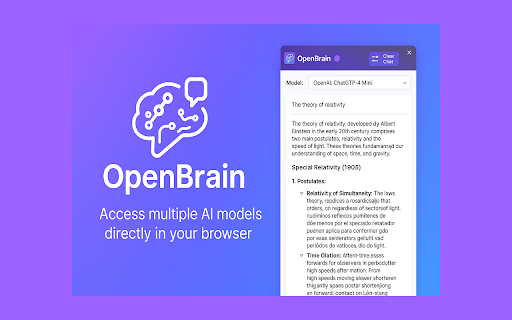
OpenBrain: AI Sidepanel for Chrome
OpenBrain brings the power of multiple AI language models directly to your browser's side panel. Using OpenRouter as a gateway, you can access a variety of top AI models from different providers like OpenAI, Anthropic, Meta, Google, and more - all without leaving your current tab.
Key Features:
• Multiple AI Models: Choose from various AI language models including GPT-4o, Claude, Llama, Gemini, and more through OpenRouter integration
• Seamless Side Panel Integration: Chat with AI while browsing without switching contexts or tabs
• Custom Configuration: Configure your own preferred models and API settings
• Conversation History: Review your chat history within the panel
• Dark Mode Support: Toggle between light and dark themes for comfortable viewing
• Markdown Support: View AI responses with proper formatting, code blocks, and more
How to Get Started:
1. Create an OpenRouter account (openrouter.ai)
2. Obtain your API key
3. Create a simple config file as described in the extension
4. Start chatting with your chosen AI models
OpenBrain is perfect for researchers, writers, developers, students, and anyone who wants AI assistance while browsing the web.
Note: This extension requires an OpenRouter API key. All conversations remain private between you and your chosen AI service - no data is stored on our servers.
Add to Chrome
Quick Info
- Version
- 1.0.0
- Size
- 3.02MiB
- Price
- Free
- Type
- Extension
Categories
Languages
English (United States)