Calculator
by LinangData4.1
124 reviews
90.0K
users
Published
November 18, 2022
Screenshots

Description
A simple calculator for basic arithmetic.
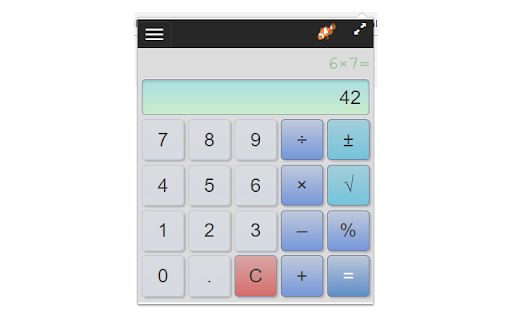
Adds a calculator icon to your browser toolbar. You can open the calculator while browsing any web page. It remembers your last calculation so you can close it at any time and reopen without losing your work.
Features:
• Compact and available when you need it right from the Chrome toolbar
• Remembers your previous calculation when re-opened
• A selectable history records your last 10 calculations
• Use the keyboard number pad for calculations
• Enter key for "=" and "c" for clear
• Del/Backspace key to edit calculation
• Copy results or calculations to the clipboard
• Re-sizable - remembers you setting when you close the calculator
• It's Free!
Functions (keyboard shortcuts):
• Number Pad or 0-9 for Number Entry
• Equals (= or Enter)
• Clear ("c")
• Delete (del/backspace) - removes last character you typed
• Copy to clipboard (ctrl-c)
• Divide (/)
• Times (*)
• Minus (-)
• Plus (+)
• Percent (% or F1).
Examples:
50x20% means 20 percent of 50 (or use the shorthand 50%20) = 10
10-20% means subtract 20% of 10 from 10 = 8
10+12% means add 12% of 10 to 10 = 11.2
• Square Root (F2).
Example, 9√ = 3, or 3+9√ = 9
• Square x²
Example, 9² = 81
• Reciprocal ⅟x
Example, ⅟4 = 0.25
• +/- (F3) - negates the value
• Parentheses to control order of calculations.
Example: (3+2)*4 = 20 without parenthesis the multiplication happens first: 3+2*4= 11
• Decimal point
Changes:
• 1.8.2 - Improved layout for history menu
• 1.8.0 - New functions squared and reciprocal, parenthesis to control order of calculations, user experience updates
• 1.7.9 - update to manifest V3