
Fact Checker
by Fact Check4.2
5 reviews
193
users
Published
June 4, 2025
Screenshots


Description
**Installation Guide - Google Chrome**
1. Click the 'Add to Chrome' button
2. Navigate to the Chrome Extensions button, it should be directly to the right of the search bar and look like a puzzle piece icon
3. Click 'Fact Checker'
4. Sign-in using your log-in details, and you're done!
5. Highlight any text online, right-click and hit 'Fact Check' to start your research journey!
**Installation Guide - Microsoft Edge**
1. Click the 'Get' button
2. Navigate to the Extensions button, it should be directly to the right of the search bar and look like a puzzle piece icon
3. Click 'Fact Checker'
4. Sign-in using your log-in details, and you're done!
5. Highlight any text online, right-click and hit 'Fact Check' to start your research journey!
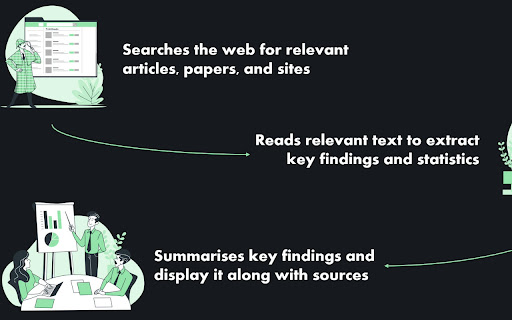
Welcome to Fact Check! This is your personal research assistant, BS detector, and instant truth-finder, all rolled into one simple, powerful Chrome extension.
Effortlessly integrates with your browsing to deliver accurate, up-to-the-minute information without ever needing to leave your page.
Whether you're conducting research, debunking myths, or simply satisfying curiosity, Fact Check ensures that you stay informed with minimal effort. Say goodbye to endless tab-switching and hello to streamlined, reliable insights right where you need them.
My (virtual) door is always open! Feel free to share how you're using the tool, suggest any features you'd like added, or just drop by for a chat!
Email: [email protected]
-Dyl
Add to Chrome
Quick Info
- Version
- 1.2
- Size
- 82.65KiB
- Price
- Free
- Type
- Extension
Categories
Languages
English (United States)