Pixiv to Gelbooru upload helper
by Phxstick34
users
Published
November 26, 2022
Screenshots


Description
This extension enhances the website Pixiv to facilitate uploading pictures from there to Gelbooru.
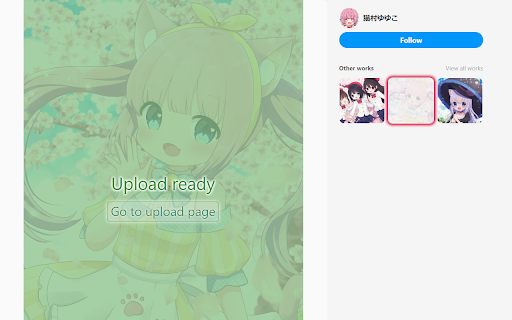
In order to use it, the extension "Improved Gelbooru upload" needs to be installed and active. Whenever the upload status of a Pixiv artwork is checked via that extension, it will be remembered by this extension and reflected on Pixiv. If an artwork has been uploaded to Gelbooru already, its thumbnails will be highlighted with a blue glowing border. If it's not uploaded yet, the thumbnails get a red glowing border.
You can use the following shortcuts to quickly conduct status checks and prepare uploads:
- Ctrl + click an artwork to download the original sized version and send it to the Gelbooru upload extension, which checks whether it has already been posted on Gelbooru.
- Ctrl + Alt + click the name of an artist to search Gelbooru for all posts by this artist which have a Pixiv link as their source. All corresponding Pixiv artworks will be marked as uploaded.
- Ctrl + Alt + click the thumbnail of a checked Pixiv artwork to view a list of links to the corresponding Gelbooru posts (you can also manually associate an existing Gelbooru post from here).