browserkeynav
by Karl MogensenPublished
June 6, 2025
Screenshots
Description
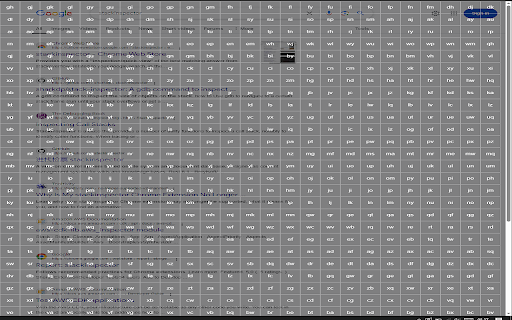
Fast browser navigation/interaction with keyboard only
Click using keyboard
- press 'f' to display key overlay (this will display the grid overlay)
- press the corresponding key combination in the square of which you want to click
- this presses exactly the middle of the square
- if you want to click more precisely within that square type the first key of the two character combination twice - so if square 'fj' then type 'ffj'
- this then opens a grid within the choosen square which lets you select with more precision using another single keypress
- press escape to disable overlay when active
Closing current tab
- press 'x'
Scroll down/up
- press 'j' to go down and 'k' to go up
Go to bottom/top
- press 'shift + g' to go to bottom and 'gg' to go to top
Going back/forward in current tab
- press 'shift + h' to go back and 'shift + l' to go forward