
Ezy Screenshot
by userextension54326
users
Published
March 20, 2024
Screenshots
Description
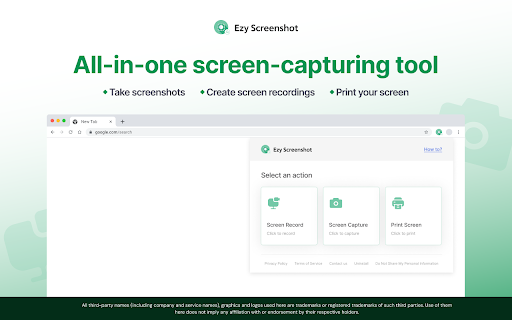
Capture the visible part of your screen, and record your computer screen with this easy-to-use tool. Save or get shareable links for screen recordings (up to 50 MB) and screenshots that you can send to your family, friends, or colleagues. You can also print screenshots.
How to use the screen-capturing tool:
- Add the extension to your Chrome™ browser
- Pin the extension to your browser toolbar for quick access to the screen-capturing widget
- Open the widget and choose ‘Screen Record’ or ‘Screen Capture’
- To record, select a window or the entire screen from the dropdown, navigate to the desired window or screen, and the recording will begin in 10 seconds
- To take a screenshot, select the window you want to capture. The screenshot will capture the visible part of your screen
- Click ‘Print Image’ to print the screenshot
We welcome your ideas and suggestions to improve this extension. Please note that you can uninstall the extension if you are dissatisfied with the product.
Upon clicking the button above, you confirm that you have read & agree to the Terms of Service & Privacy Policy and consent to install this Chrome™ extension.
Chrome is a trademark of Google LLC. Use of it here does not imply any affiliation with or endorsement by Google LLC.
Privacy Policy: https://ezyscreenshot.com/screenshot/privacypolicy_ff.html
Terms of Service: https://ezyscreenshot.com/screenshot/termsofservice_ff.html
Add to Chrome
Quick Info
- Version
- 1.0.0.0
- Size
- 249KiB
- Price
- Free
- Type
- Extension
Categories
Languages
English (United States)