Stay Awake: Keep Your Computer Awake
by Mr Violets4.5
2 reviews
8.0K
users
Published
August 29, 2024
Screenshots

Description
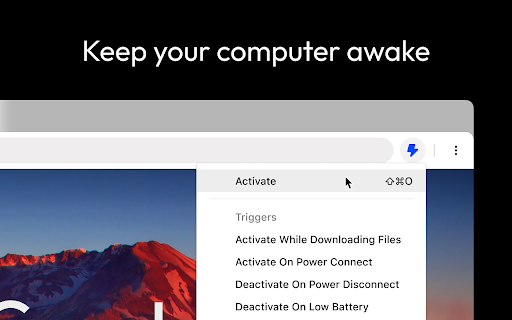
Introducing Stay Awake, the keep awake extension for Google Chrome™. Keep your system awake on demand whenever you want or let Stay Awake automatically activate during downloads.
FEATURES
- Keep Awake on Demand
Whenever you need your system to stay awake, simply activate the extension by clicking the extension icon and choosing "Activate" or using the keyboard shortcut Ctrl+Shift+O / Command+Shift+O at any time.
- Keep Awake During Downloads
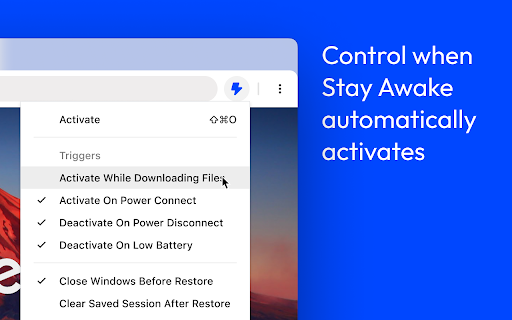
Tired of downloads being unexpectedly interrupted by your system going to sleep? Enable the "Activate while downloading files" option and Stay Awake will automatically activate while a download is is progress. Once all your downloads are complete, Stay Awake will deactivate itself, allowing your system to rest peacefully.
- Keyboard Support
Activate the extension by clicking the extension icon and choosing "Activate" or use the keyboard shortcut Ctrl+Shift+O / Command+Shift+O at any time. The arrow keys can be used to navigate the menu or keyboard shortcuts can be used to quickly access the menu items.
USAGE
Once installed, you can access the extension by clicking the extension icon in the toolbar.
- Click Activate or use the global shortcut Command+Shift+O to enable the extension.
- Manage preferences from the popup.