YouTube TimeSlider
by Paul Berry5.0
1 reviews
85
users
Published
May 16, 2022
Screenshots


Description
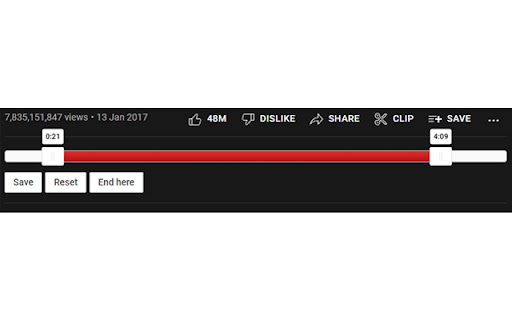
Set start and end times for any YouTube video with a simple slider.
Useful for music videos where you want to skip the beginning/end of the video (annoying intros, outros etc.).
Instructions:
- Drag to set the sliders to the desired positions.
- Click the 'Save' button below the slider to save the positions for the current video.
- Next time you load up the video, it will automatically start and end at the times you specified.
- The 'Reset' button will remove the saved times from that video.
- The 'End here' button will set the end time to the current video time.
Extra Features:
- Automatic syncing of times between devices
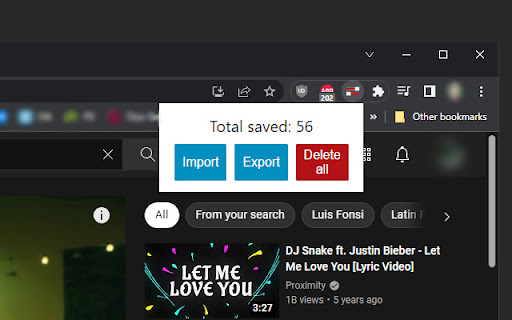
- Optional Import/Export/Delete options in popup menu
Works with:
- Single videos
- Playlists
- Looped videos
- Autoplay