Translate and Speak Subtitles for YouTube
by Dunkum Sherwin3.1
227 reviews
40.0K
users
Published
January 24, 2025
Screenshots


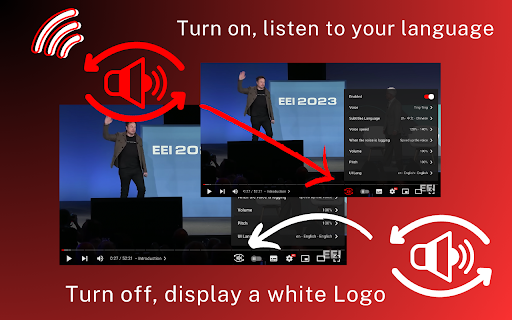
Description
Here is a solution that helps you read subtitles for YouTube videos. It utilizes a Text-to-Speech (TTS) engine to convert text subtitles into natural-sounding speech. This solution is powered by Google and Microsoft AI technologies, providing over 100 voices in multiple languages and variants.
🚀Features:
** Easy to use: Turn on/off with a single click.
** Multiple languages: Supports voices in many languages.
** Multiple subtitles: Supports multiple subtitle formats.
🚀How to use:
*Pin the 'YouTube Subtitles Speaker and Translator' extension to the browser toolbar.
Click on the extension icon in the Chrome toolbar and navigate to the YouTube video details page.
*If the YouTube video has subtitles, a voice icon will appear.
*You can then select the UI language and the voice language.
Add to Chrome
Quick Info
- Version
- 1.0.15
- Size
- 2.37MiB
- Price
- Free
- Type
- Extension
Categories
Languages
DeutschEnglishEnglish (United Kingdom)English (United States)FilipinoIndonesiaKiswahiliMelayuNederlandsTiếng ViệtTürkçecatalàdanskeestiespañolfrançaishrvatskiitalianolatviešulietuviųmagyarnorskpolskiromânăslovenčinaslovenščinasuomisvenskačeštinaΕλληνικάбългарскирусскийсрпскиукраїнськаעבריתالعربيةفارسیमराठीहिन्दीবাংলাગુજરાતીதமிழ்తెలుగుಕನ್ನಡമലയാളംไทยአማርኛ中文(中国)日本語한국어