LINE Share
by LY Corporation4.0
1,873 reviews
200.0K
users
Published
April 15, 2024
Screenshots

Description
With just one click, you can share web pages and text with your LINE friends or save them in Keep.
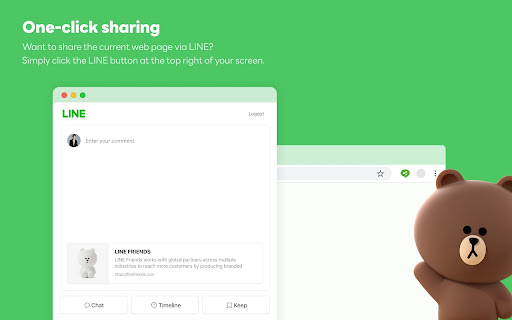
1. One-click sharing
Want to share the current web page via LINE? Simply click the LINE button at the top right of your screen. You can easily share it in chat or Timeline, or save it to Keep to view later on your mobile device.
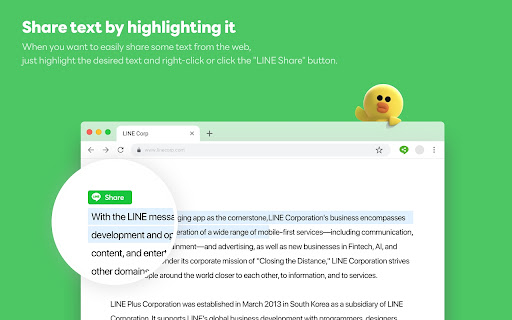
2. Share text by highlighting it
When you want to easily share some text from the web, just highlight the desired text and right-click or click the "LINE Share" button. Note that you can enable or disable the "LINE Share" button by right-clicking the app's icon at the top right of your screen.
3. Easy access everywhere
You can easily see shared or saved web content from anywhere using the mobile version of LINE.
Add to Chrome
Quick Info
- Version
- 1.0.9
- Size
- 29.11KiB
- Price
- Free
- Type
- Extension
Categories
Languages
EnglishIndonesiaไทย中文(台灣)日本語한국어