

SUPR - Salesforce User Permission Report
by Aurel Hudec3.8
6 reviews
1.0K
users
Published
November 27, 2024
Screenshots


Description
DESCRIPTION
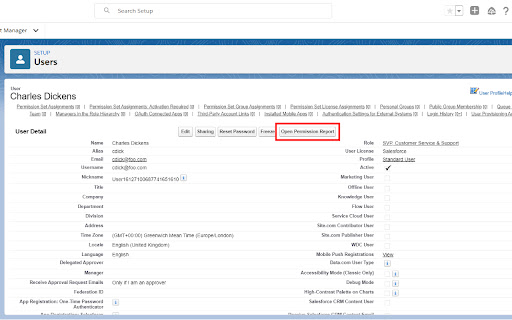
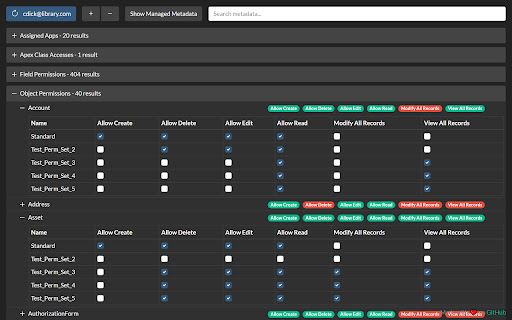
This tool reads all of the user's Profile and Permission Set metadata, merges it, and presents it in a single view allowing busy admins and developers to quickly troubleshoot security and permission issues!
FEATURES
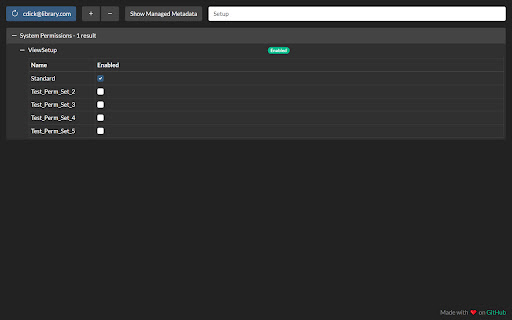
- Search
- Dark mode
- Intuitive tree view
- Toggle managed metadata
- Permission Set Group support
- Consolidated view of user permissions
- Compatible with Classic and Lightning Experience
SECURITY/PRIVACY
No data is stored by the extension in the browser (apart from in-memory during use) and no data is transferred to third-party (i.e. non-Salesforce) servers. All communication is secured using HTTPS/TLS, so in theory the unencrypted (plain text) data is only visible in your Salesforce org and in the extension when it is used.
A network request is made to the SOAP API's getUserInfo resource which may contain the running user's PII as described here: https://developer.salesforce.com/docs/atlas.en-us.api.meta/api/sforce_api_calls_getuserinfo.htm
The only other piece of PII is the target user's username which is queried and displayed on the refresh button.
Add to Chrome
Quick Info
- Version
- 1.2.5
- Size
- 324KiB
- Price
- Free
- Type
- Extension
Categories
Languages
English (United Kingdom)


