
Project Plans editor
by officeonlinesystems3.1
48 reviews
6.0K
users
Published
August 12, 2024
Screenshots


Description
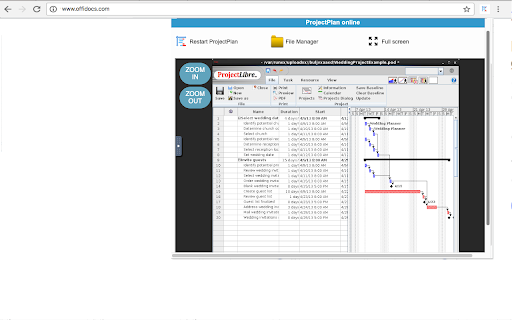
Project Plans editor allows to create and edit project plans. It is a project management tool compatible with any other project management software, included Microsoft Project. It is an app for task management, work breakdown structure generation, resource allocation and tracki
Its main features are:
- Free Project Management software.
- Compatibility with Microsoft Project 2010 (Imports MS Project files < 2010 and saves as Project 2003 if desired)
- Gantt chart (EVR, Tracking, Work, Cost)
- Earned value costing.
- PERT charts.
- RBS chart (Resource Breakdown Structure).
- Task dependencies and constraints.
- Resource Sheet for adjusting allocations.
This extension is based on ProjectLibre, an open source SW compared to Microsoft Project, which it closely emulates, ProjectLibre has a similar user interface (UI) including a ribbon-style menu, and a similar approach to construction of a project plan: create an indented task list or work breakdown structure (WBS), set durations, create links (either by (a) mouse drag, (b) selection and then button-down, or (c) manually type in the 'predecessor' column), assign resources. The columns (fields) look the same as for Microsoft Project.
Add to Chrome
Quick Info
- Version
- 2.12.1
- Size
- 478KiB
- Price
- Free
- Type
- Extension
Categories
Languages
DeutschEnglishNederlandsTürkçeespañolespañol (Latinoamérica)françaisitalianopolskiportuguês (Brasil)português (Portugal)русскийукраїнськаالعربيةहिन्दी中文(中国)日本語한국어