VisiOS - Tab / Bookmark Manager OS
by center4.7
23 reviews
10.0K
users
Published
December 2, 2025
Screenshots


Description
🚀 VisiOS offers two main features: 🚀
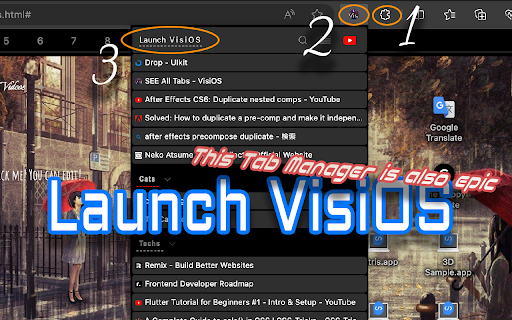
A tab manager of epic proportions and an OS that legends are made of.
🟢 Main functions of the tab manager:
✅ Sort tabs and tab groups
✅ Search tab titles and copy tab links
✅ Directly restore 404 tabs with Internet Archive
✅ YouTube top mode
🟢 Main functions of the OS
✅ 20+ languages available
✅ 9 desktops (toggle between 2D and 3D modes)
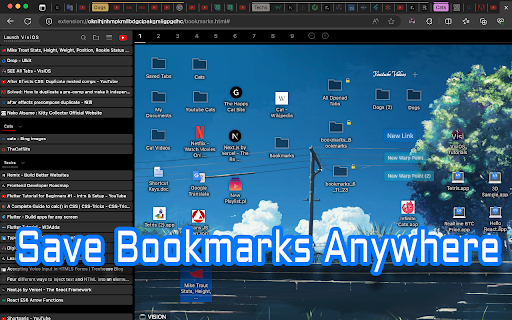
✅ Save bookmarks from the tab list, toolbar, and HTML files
✅ Generate bookmark HTML files for all browsers
✅ Sync, add, and merge bookmarks to your browser
✅ Create folders that maintain the hierarchy of all currently open tabs or all bookmarks
✅ Password-lock desktops and folders
✅ Built-in video player (37 video sites supported, including YouTube, TED, and Spotify)
✅ Create video playlists (supports YouTube playlist URLs)
✅ Playlist lets YouTube work like an iPod, with shuffle support
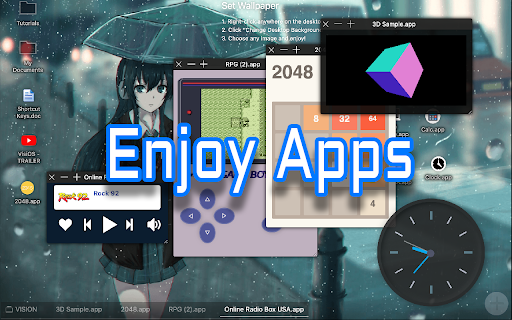
✅ Free App Store (download various apps to your OS for free)
✅ Draw on desktops, apps, and folders with 2D painting functionality
✅ Code editor for developing your own apps on the OS
✅ Quicklook like on MacOS
✅ Hypersearch (search across all 9 desktops at once)
✅ Robo-sort (sort folder hierarchies all at once)
✅ Word processor (supports LaTeX for advanced formula editing)
✅ Fully customizable fonts and icons
✅ Wide range of backup and reset options
✅ Add texts and lists anywhere on your desktops and folders
✅ Infinite scrolling (desktops behave almost like Google Maps)
✅ ChatGPT and various AIs will be more easier to use
✅ Warp points (navigate directly to specific coordinates across all desktops)
✅ Sidebar OS
You can save bookmarks anywhere on the 9 desktops.
It's really easy to import, export, sync, and merge bookmarks.
You can also install various VisiOS apps for free, including games, utilities, language learning apps, cryptocurrency tools, and more.
<VisiOS Official Tutorials:>
https://beta-japan.com/tutorials
🚀 Usage Instructions (VisiOS): 🚀
When you first install the extension, click on the extension icon, and then select "Launch VisiOS" in the pop-up menu. (NOTE: Recommended to pin the VisiOS extension)
🚀 How to change your preferred language: 🚀
Right-click anywhere on any desktop and select “Settings” to change your preferred language.
Add to Chrome
Quick Info
- Version
- 1.3.4
- Size
- 781KiB
- Price
- Free
- Type
- Extension
Categories
Languages
DeutschEnglishIndonesiaTiếng Việtespañolfrançaisitalianopolskiportuguês (Brasil)português (Portugal)suomisvenskaΕλληνικάрусскийالعربيةहिन्दीไทย中文(中国)中文(台灣)日本語한국어