Double-click to page lock
by nekotadon60
users
Published
February 24, 2024
Screenshots
Description
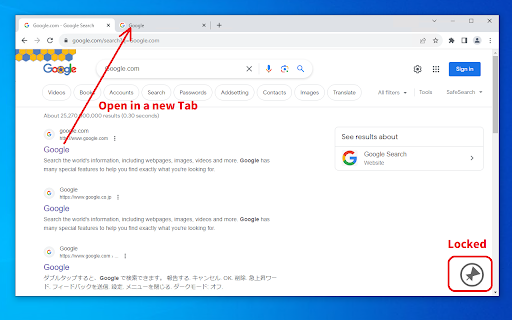
1. Double-click on the margins of the web page.
2. A lock symbol appears in the lower right corner.
3. Click on the link.
4. The link will open in a new tab.
* It may not work on some web pages.
The new tab opens inactive. This is useful when you want to open all the sites you want to see first, for example on a search results page.
This software is released under the MIT License.
https://github.com/nekotadon/double-click-to-page-lock/blob/master/LICENSE