
Quiddily
by vantezzenPublished
August 21, 2022
Screenshots

Description
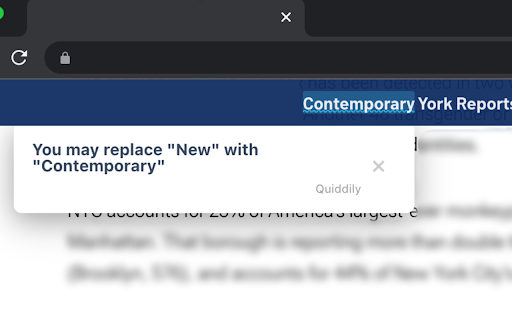
Quiddily replaces words on websites with more advances synonyms to help you learn new words.
Learning new words is hard. Quiddily helps you learn more advanced synonyms by replacing words on websites you browse with their synonyms.
This way, you'll learn new words in context and without needing to put more effort into learning new vocabulary!
In Quiddily's settings you can change how frequently words should be replaced with synonyms and disable Quiddily completely for pages that have problems with the replaced words.
The full source code of this extension is available on https://github.com/vantezzen/quiddily, if you find any issues or have a question please visit https://github.com/vantezzen/quiddily/issues.
Have any synonyms you want to add? Feel free to create a pull request! Learn more about contributing at https://github.com/vantezzen/quiddily
This extension needs the following permissions:
- "https://*/*"(Read and change you data on all websites) to access the text contents of websites you visit and replace words with synonyms.
- "activeTab" (Access browser tabs) to provide the "Disable Quiddily for current page" functionality.
- "storage" (Store data) to store your preferences on your device.