

Spotify Playback Speed Controller - Speedify
by edenb.dev5.0
5 reviews
648
users
Published
October 14, 2024
Screenshots
Description
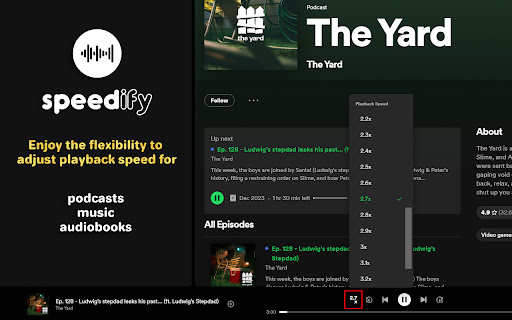
Speedify brings back the playback speed control feature in Spotify, even when you're not logged in.
Enjoy the flexibility to adjust playback speed for podcasts, music, or audiobooks seamlessly, allowing you to control your listening experience at your preferred pace.
Install Speedify now and regain control of your audio speed preferences on Spotify!
🛠 Updates 🛠
version 1.0.3:
- Fixed: Resolved an issue where the control panel for adjusting playback speed was not created / detected on slower PCs.
- Fixed: Updated speed control functionality to apply to all detected media elements, ensuring proper playback speed adjustment across multiple audio/video elements.
version 1.0.2:
- Fixed: Resolved a visual bug where the playback speed controller was not displaying in the menu.
version 1.0.1:
- Fixed: Resolved a visual bug affecting check mark styling in the playback speed control menu.









