Change YouTube Speed
by maslbev5.0
4 reviews
455
users
Published
April 22, 2024
Screenshots

Description
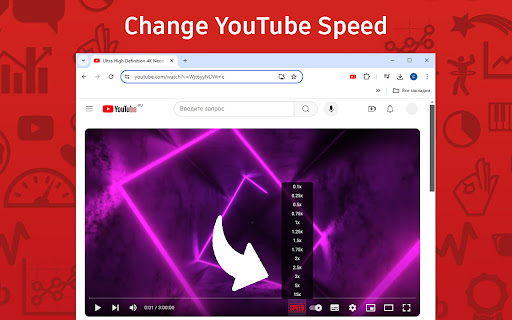
Take full control of your YouTube video playback with the "Change YouTube Speed" extension, designed for both Chrome users. This simple yet powerful tool allows you to modify the video speed from a minimal 0.1x up to a maximum of 15x, providing a wider range than YouTube's default options.
Key Features:
Flexible Speed Adjustment: Directly control your video playback speed ranging from 0.1x to 15x, all through an easy-to-use interface.
Instant Speed Shifts: Switch speeds with just one click, making your viewing experience more efficient and tailored to your needs.
Seamless Integration: Works perfectly with YouTube’s native player, ensuring a smooth and intuitive user experience.
How to Use:
After installing, refresh any already open YouTube pages to activate the extension.
Click on the extension icon to select your desired speed, and instantly see the change on your YouTube video.
Perfect for educational purposes, entertainment, or professional use, the "Change YouTube Speed" extension helps you optimize your time and enhance your viewing experience. Install today and experience YouTube like never before!
Add to Chrome
Quick Info
- Version
- 1.0
- Size
- 207KiB
- Price
- Free
- Type
- Extension
Categories
Languages
English (United States)