Other extensions from this developer
Midjourney Image Splitter / Photo cutting is a versatile tool tailored for users who wish to dissect images into smaller segments. Whether you're dealing with images generated by Midjourney or have a photo list arranged in multi-row and multi-column formats, our extension streamlines the...
➤ Introduction GPTBLOX is a comprehensive Chrome extension that helps you easily save, download, and manage conversations from AI assistants like ChatGPT, Gemini (Bard), Claude, Poe, and HuggingChat, as well as save web page content and images. With this tool, you'll never worry about losing...
With Todo Lists Memo Sticky Note, never miss out on important tasks or reminders. It serves as your personal sticky note board right within Chrome. Features: • Create new notes with a simple click. • Edit or delete notes with ease. • Notes are automatically saved and available across browser...
This Chrome extension provides users with an organized list of special characters from various categories, including symbols, punctuations, and language-specific characters. With a single click, you can copy any character to your clipboard. Additionally, the extension keeps track of your most...
PDF to Image Converter allows you to easily convert PDF files into multiple image formats. Whether you need a single page or an entire PDF document, this extension has you covered. Choose from PNG, JPEG, or GIF formats, and control the quality of the resulting image. The extension is perfect for...
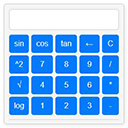
How to Calculate on Google Chrome Calculator offers a user-friendly interface for various mathematical tasks. From basic arithmetic operations to advanced functions like trigonometry, logarithms, and exponentiation, this extension equips users with the tools needed for both simple and complex...
Image Converter by GPTBLOX is your ultimate tool for quick and efficient image format conversion right in your browser. The extension can handle multiple image formats like JPG, PNG, ICON, and more. It allows you to upload multiple images at once, providing a real-time preview of each image...
Introducing "Word to PDF Converter / Convert docx to PDF", the Chrome extension that simplifies the process of converting Word documents to PDF. No more need for third-party software! This extension enables you to convert .docx files to PDF in just a few clicks. Perfect for professionals and...
Other extensions published on the same day
Its soft, muted color scheme and faded textures evoke a sense of nostalgia, making every new tab feel like a trip down memory lane.
- Play more games on the top-left menu. Description: The "Bounce Ball" extension is an exciting and dynamic addition to your web browsing experience. Designed to enhance your productivity and entertainment, Bounce Ball adds an element of fun and interactivity to your online activities. Key...
A simple emoji saver which help people to save mixed emoji from emoji kitchen
Have you ever needed to copy a link from a Slide and send it to your friend or co-worker? If so, this extension was made for you! With Mrs Links a Lot you will be able to choose between several link options, to download in PDF, image, among others... Just click on the extension icon and if the...
Say goodbye to the hassle of switching tabs or navigating through different platforms just to send a video message. With the Cammio Clips Chrome Extension, make your recruitment process faster, more personal, and incredibly efficient—all from the comfort of your browser. *Note: An active Cammio...
1. The playback progress bar can be kept visible continuously by pressing Ctrl/Cmd + Shift + U. 2. You can hide/show the playback controller UI and the progress bar using Ctrl/Cmd + Shift + i, O, P. 3. Subtitles can be freely moved and locked in position. 4. I don't like these default shortcuts....