Speech to Text
by Free Apps2.9
21 reviews
3.0K
users
Published
April 8, 2022
Screenshots
Description
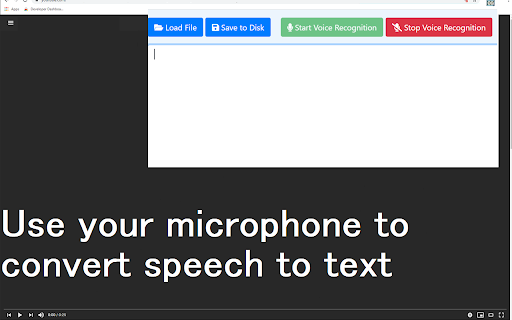
Speech to Text is a simple extension which allows you to dictate messages using your voice.
Create documents and notes by speaking and let your hands take a break. To begin using this software, here is
what you need to do.
Install the software extension Speech to Text.
Click on our extension icon
Click on the Microphone icon and give permission for microphone access to our extension.
Just begin talking normally and the text will start appearing on the notepad file.
Once you finish dictating your note, just press stop and you can save this notepad file to the local hard drive.
Add to Chrome
Quick Info
- Version
- 3.0.0
- Size
- 364KiB
- Price
- Free
- Type
- Extension
Categories
Languages
DeutschEnglishFilipinoIndonesiaMelayuNederlandsTiếng ViệtTürkçecatalàdanskeestiespañolfrançaishrvatskiitalianolatviešulietuviųmagyarnorskpolskiromânăslovenčinaslovenščinasuomisvenskačeštinaΕλληνικάбългарскирусскийсрпскиукраїнськаעבריתالعربيةفارسیहिन्दीไทย中文(中国)中文(台灣)日本語한국어