
imagy tools
by above the fold GmbH5.0
3 reviews
856
users
Published
November 6, 2025
Screenshots

Description
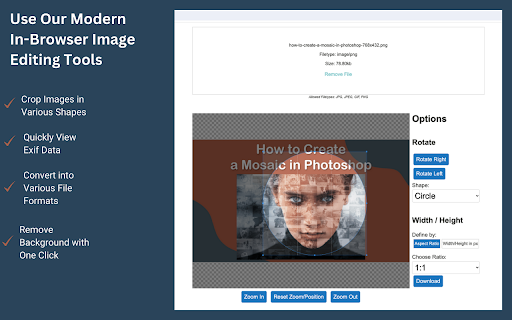
Simply right-click on any image on the web and select one of our web-based image editing tools.
You can:
🔸 Instantly view Exif Data of any photo with just one click.
🔸 Crop images into various shapes, including circles, rectangles, and freehand selections.
🔸 Convert your images into a range of file formats, such as PNG, JPEG, and more.
🔸 Effortlessly remove backgrounds from images with a single click.
🔸 Split/Divide images into multiple tiles.
🔸 Resize images to your exact specifications.
User information handled by this extension
- The content of the page you're currently browsing (to fetch images).
- The content of imagy.app during image transfer.
We do not store this information and will not disclose it.
Add to Chrome
Quick Info
- Version
- 0.0.4
- Size
- 19.25KiB
- Price
- Free
- Type
- Extension
Categories
Languages
English (United States)