

Guider – Page Editor
by figachit5.0
6 reviews
71
users
Published
December 22, 2024
Screenshots
Description
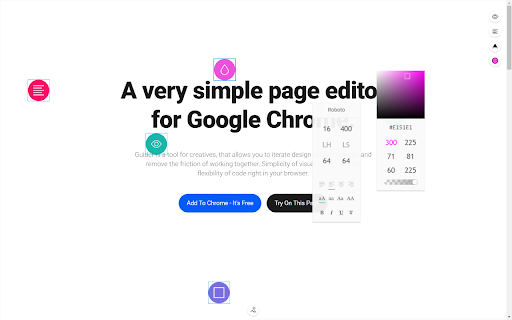
Guider is an intuitive web page editor that lets you move elements, edit text, replace images, and adjust fonts and colors on any webpage. Experiment with design – no coding required
List of available features:
Selection
• Click to select, Ctrl + Click to add/remove elements from selection.
• Shift + Click for smart selection of similar elements, click again to refine.
Editing
• Double-click text to edit and access font settings.
• Double-click an image to replace it or upload your own. Drag and drop images to replace selected ones.
• Paste copied images or URLs onto selected elements.
Shortcuts
• Copy/Cut: Ctrl + C/X
• Paste: Ctrl + V
• Undo/Redo: Ctrl + Z/Ctrl + Shift + Z
• Delete: Remove selected elements with Delete key.
Moving & Resizing
• Move elements freely; hold Shift to limit to one axis.
• Hold Alt while dragging to resize, or Alt + Ctrl to maintain proportions.
Styling
• Use the text menu to adjust font, size, weight, line height, and spacing.
• Set text alignment, change casing, or add decorations (underline, bold, italic).
• Use the color picker or input HEX, RGB, or HSL values. Adjust hue, saturation, and transparency.
Preview
• Click the Eye icon to preview without interface.
• Toggle the extension on/off with the extension button.
Rulers & Guides
• Drag rulers from the edges to create guides. Shift to snap guides to edges/center, Alt for temporary guides.
• Right-click the ruler for grid options: set columns, gap size, and width.


