

YouTube List View Mode
by Wucha3.2
16 reviews
419
users
Published
November 19, 2024
Screenshots
Description
**Stay Organized with YouTube List View Extension**
Tired of switching back to List View every time you browse YouTube Subscriptions?
This extension is here to make your experience seamless and hassle-free by locking your subscriptions and channel videos in List View mode.
---
### **Key Features:**
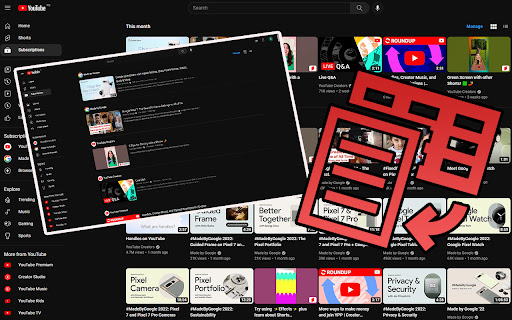
✅ **Subscriptions List View**
- Easily switch to List View for your subscriptions.
- Prevents YouTube from reverting to Grid View, even after reloading the page.
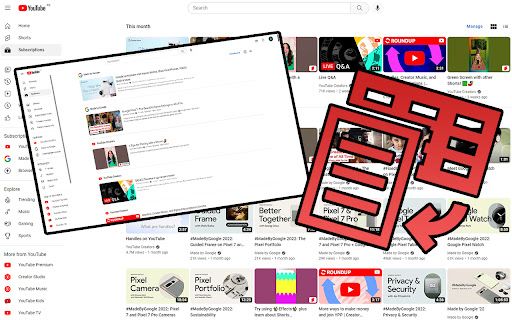
✅ **Channel Videos List View**
- Browse channel videos in List View for a cleaner and more organized layout.
- Simple reload applies your preferred view instantly.
✅ **Customizable Preferences**
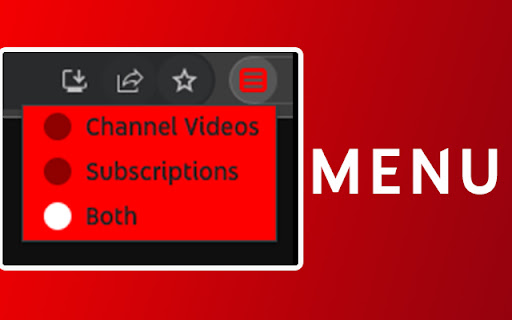
- Use the intuitive menu to choose whether to apply List View to subscriptions, channel videos, or both.
---
### **How It Works:**
**For Subscriptions:**
1. Select "Subscriptions" from the menu.
2. Navigate to the Subscriptions section and click the ≡ icon to switch to List View.
3. Reload, and the extension ensures List View stays active.
**For Channel Videos:**
1. Choose "Channel Videos" from the menu.
2. Refresh the channel's videos page, and voilà – List View is applied.
---
### **Why You'll Love It**
Struggling to save the default view for subscriptions? Prefer channel videos in an organized format? This extension is the solution you've been waiting for.
We’re dedicated to making your YouTube experience as seamless as possible. If you encounter any issues or have ideas for improvements, don’t hesitate to reach out.
Thank you for choosing the YouTube List View Extension – your support and feedback mean the world to us!
**Try it now and enjoy a clutter-free YouTube experience!**


