
Open in Google Search Console
by Meetanshi4.3
6 reviews
280
users
Published
December 11, 2024
Screenshots

Description
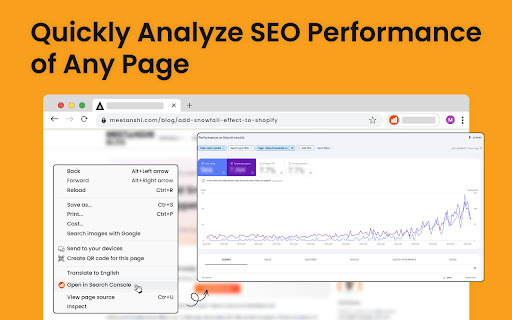
The Google Search Console chrome extension is designed for website owners, SEO specialists, and digital marketers. It generates Google Search Console performance report URL based on the configuration and opens it in a new tab.
Here's how to get started with the Search Console extension:
👉 Install the extension and open it
👉 Select your search console property type and enter the resource ID
👉 Choose the default time range for the performance report and save it
👉 Open any web page on your site, right click and select "Open in Search Console."
In case you're facing any issues, re-check the resource ID value you've added. You must have access to the respective Google Search Console property in your account to access its reports.
NOTE: Our extension does not access any of your Google Search Console data.
Add to Chrome
Quick Info
- Version
- 1.1
- Size
- 12.54KiB
- Price
- Free
- Type
- Extension
Categories
Languages
English (United States)