
Free VPN For Window 10 Chrome
by The Private VPN pvt.ltd1.7
6 reviews
807
users
Published
February 10, 2022
Screenshots
Description
Free VPN can be used to bypass filtered or blocked websites that have been blocked by your workplace, government or school.
You can also use Free VPN to hide your tracks and/or protect your personal information at public Wi-Fi locations.
If it asks for username and password then you just simply fill that is given below:-
USERNAME:- Seladnaneren86
PASSWORD:- A2x1CfW
How to Install Free VPN Extension?
- Chrome web store opens and free vpn is typed into the search bar. User Free Vpn Chrome - plugin with free vpn proxy (Server: Free Vpn Chrome) is selected in the incoming search results.
- Click Add to Chrome
- The extension will be next to Chrome extensions.
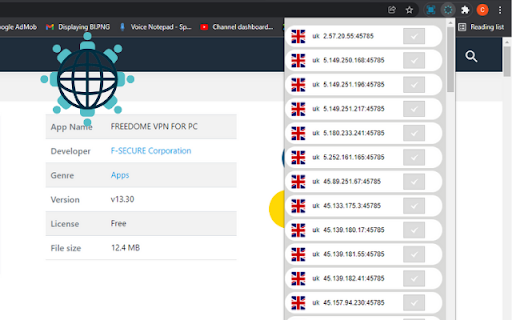
- Click the List IP button in the small window that opens.
- You will see the ip addresses you can use.
- When you click on the ip you want, then you need to the username and password that are in above, the VPN will be active.
- Open your websites.
Add to Chrome
Quick Info
- Version
- 5
- Size
- 1.17MiB
- Price
- Free
- Type
- Extension
Categories
Languages
DeutschEnglishEnglish (United Kingdom)English (United States)FilipinoIndonesiaKiswahiliMelayuNederlandsTiếng ViệtTürkçecatalàdanskeestiespañolespañol (Latinoamérica)françaishrvatskiitalianolatviešulietuviųmagyarnorskpolskiportuguês (Brasil)português (Portugal)românăslovenčinaslovenščinasuomisvenskačeštinaΕλληνικάбългарскирусскийсрпскиукраїнськаעבריתالعربيةفارسیमराठीहिन्दीবাংলাગુજરાતીதமிழ்తెలుగుಕನ್ನಡമലയാളംไทยአማርኛ中文(中国)中文(台灣)日本語한국어